Good Web Programmer: Build Skills That Matter
Learn how to become a good web programmer by strengthening fundamentals, building useful projects, testing for real users, and improving your code.

To become a good web programmer, build websites that solve real problems, work for different users, and remain easy to maintain. Start with clear fundamentals, test your work in practical situations, and improve through feedback instead of chasing every new tool.
Key takeaways:
- Understand HTML, CSS, JavaScript, and the browser before adding more frameworks.
- Build small projects that solve a clear user need.
- Test usability, accessibility, and behavior on real devices.
- Write code that teammates and your future self can understand.
- Learn steadily by reviewing mistakes and seeking useful feedback.
Many developers ask how to become a good web programmer when the field offers so many languages, frameworks, and tools. The useful answer is not to learn everything. It is to develop a repeatable way to plan, build, test, and improve websites.
What makes a good web programmer?
A good web programmer turns a user need into a working, dependable website. Technical knowledge matters, but so do judgment, communication, and care for the people who use the result.
For example, a contact form is not finished just because it looks right. It should accept useful input, explain errors clearly, work with a keyboard, and tell the visitor what happens after submission. Thinking through these details is part of programming, not extra polish.
Good work also considers future changes. Clear structure and sensible naming help another developer understand the code. That makes fixes and new features easier to handle.
Learn the web fundamentals before adding more tools
Frameworks can speed up common tasks, but they do not replace the basics. Begin with semantic HTML, CSS layout, JavaScript, and a working understanding of how browsers load and display pages.
Use HTML to give content meaning
Choose elements based on what the content does. Use headings in a useful order, buttons for actions, and links for destinations. Semantic HTML gives browsers and assistive technology better information about your page.
As a small exercise, build a page with a heading, navigation links, a form, and a list. Check whether the structure still makes sense when you view it without decorative styling.
Learn CSS and JavaScript through small tasks
Practice responsive layouts, readable spacing, and text that adapts to narrow screens. In JavaScript, learn variables, functions, events, arrays, and how to inspect errors in the browser console.
Then add one framework or platform when a project calls for it. If you want a guided starting point, read this Laravel beginner guide. The goal is to understand the problem the tool solves, not collect tools for their own sake.
Build projects around real user needs
Projects teach you how separate skills work together. Choose a specific user and task, then make a small site that completes that task well. A booking form, searchable directory, or simple product catalogue can teach more than a large project that never reaches a usable state.
- Write down who the site is for and what they need to do.
- Sketch the main page and the steps in the task.
- Build a basic working version before adding optional features.
- Ask someone to try it without explaining how it works.
- Fix the most confusing or broken parts, then test again.
Keep notes about the decisions you made and the problems you solved. A useful portfolio shows what the project does, your role, and how you approached a challenge. For project ideas and learning stages, see this practical web developer guide.
For a business project, begin by learning what the business and its visitors need. A clear brief can prevent wasted work. Herby Design’s website design and development service provides an example of the kind of planning that connects a site’s purpose to its build.
Test for usability, accessibility, and reliability
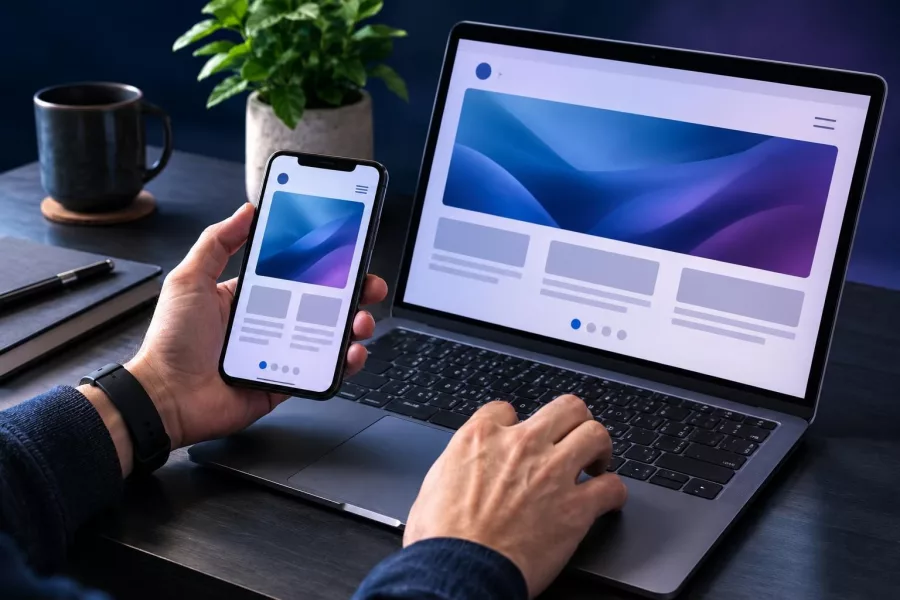
A page that works on your laptop may fail for someone using a phone, keyboard, or assistive technology. Test the main task from the visitor’s point of view, not only from the code editor.
Check the basics manually
- Resize the browser and check that content does not overlap or require sideways scrolling.
- Use Tab and Enter to move through links, buttons, and form fields.
- Submit forms with missing or incorrect information and read the error messages.
- Check that images have useful alternative text when they convey information.
- Try the site on a phone and a different browser when possible.
Automated tools can flag some common accessibility issues, but they cannot judge every interaction. The MDN accessibility guide recommends considering accessibility early and testing often. Combine automated checks with keyboard testing and feedback from people.
Also check for broken links, slow-loading assets, and browser console errors. For a deeper review, use this web.dev performance audit preparation guide as a checklist for devices, connectivity, and site behavior.
Write code that is easier to maintain
Readable code reduces confusion when you return to a project or share it with a team. Use names that explain purpose, keep functions focused, and avoid repeating the same logic when a clear shared solution will do.
For example, calculateCartTotal tells a reader more than doThing. Small, meaningful names make code easier to discuss and review. Comments are most helpful when they explain a decision that is not obvious from the code.
Use version control to save progress and make changes easier to review. Before adding a dependency, ask whether it solves a real problem and whether you can maintain it. For larger sites or applications, plan for ongoing fixes with a sensible website maintenance approach.
Improve through feedback and steady practice
There is no single finish line for learning web development. Languages and tools change, but careful problem-solving remains useful. Choose one skill to improve at a time, then apply it in a small project.
Ask for feedback with a focused question. Instead of asking, “Is this good?”, ask, “Can you find the booking button?” or “What is unclear about this error message?” Specific questions lead to practical improvements.
When a bug appears, reproduce it, inspect the relevant code, and change one thing at a time. Record what fixed it. This habit helps you learn from problems rather than patching them blindly.
Frequently asked questions
What skills does a good web programmer need?
Start with HTML, CSS, JavaScript, browser debugging, and basic accessibility. Add tools that match the kind of projects you want to build.
Do I need a computer science degree to become a web programmer?
A degree is not the only route. Practical projects, strong fundamentals, and the ability to explain your work can demonstrate your skills.
How can beginners practice web programming?
Build small sites with one clear purpose. Test them with other people, fix what causes confusion, and document what you learned.
Should I learn a framework first?
Learn enough HTML, CSS, and JavaScript to understand what a framework does. Then choose one that fits your project or learning goal.
Being a good web programmer is an ongoing practice: understand the need, build with care, and test with real users. Start with one useful project and improve it step by step. If you need help planning or building a website, contact Herby Design.
Found this helpful? Share it
Good Web Programmer: Build Skills That Matter — learn how to become a good web programmer by strengthening fundamentals, building useful projects, testing for real user…#WebDevelopment #WebProgramming #Accessibility #ProgrammingSkills #HerbyDesign
Caption and hashtags copied: paste them into your post.
Need help with your website?
I build fast, SEO-ready websites and web applications.