AI Agents for Business Websites: Where to Start
Learn how small businesses can use AI agents on their websites, choose a safe first use case, and test the experience before launch.

AI agents are a practical AI trend for business websites: they can answer questions, look up approved information, and take specific actions through connected tools. For most small businesses, the useful next step is not a fully autonomous system. It is a narrow, supervised assistant that solves one customer problem and hands off anything uncertain.
Key takeaways:
- Start with one repetitive task, such as answering questions about services or booking requests.
- Connect the assistant only to information and actions it needs.
- Require human approval for sensitive or irreversible actions.
- Test accuracy, privacy, accessibility, and speed before launch.
- Measure whether it helps customers, not whether it looks cutting-edge.
AI agents: what they do and why businesses are watching
An AI agent is software that uses an AI model to interpret a request, choose from permitted tools, and complete several steps. A basic chatbot mainly responds with text. An agent might check a service list, collect a visitor’s details, and prepare a booking request.
That difference is important, but it does not mean an agent should make decisions without limits. The model can misunderstand a request, rely on incomplete context, or return an incorrect answer. Good design keeps its actions narrow and its answers grounded in information you approve.
For example, a local service business could let an agent explain its service areas and collect a callback request. The agent should not promise an appointment unless it has checked a live booking system and has permission to confirm it.
Where AI agents can help on a business website
Begin with a task that happens often and has a clear outcome. A useful first version might help visitors find the right service, understand basic policies, or send a complete inquiry.
- Service guidance: Ask a few questions, then point visitors to the relevant service page.
- Lead intake: Collect contact details and project requirements before sending a request to your team.
- Order support: Explain delivery or return policies using approved information.
- Internal assistance: Help staff search documentation or draft routine responses.
These examples share a useful boundary: the agent assists with a defined process. It does not replace professional advice or make commitments beyond its authority. A well-structured custom web application can connect a website experience to existing business systems when the use case calls for it.
Choose a small, measurable first use case
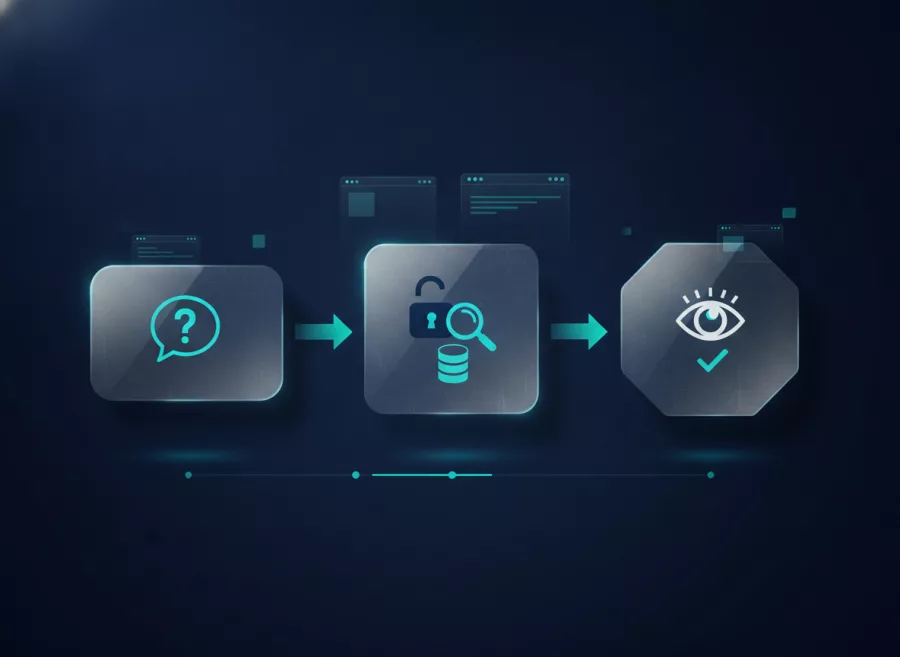
Write down the customer problem before picking a model or platform. If visitors repeatedly ask questions that are already answered on your site, a guided assistant may help. If the real issue is slow support or unclear service pages, improving those pages may be simpler and more effective.
Define the task and success measure
Describe the assistant’s job in one sentence. For instance: “Help visitors understand which maintenance service fits their needs, then offer a contact form.” Decide what a good result looks like, such as a completed inquiry or a successful handoff to a staff member.
Also decide what the agent must not do. It may not quote unapproved prices, guarantee delivery dates, access unrelated customer records, or submit a request without the visitor’s consent. Clear limits make testing easier.
Check the information it will use
Gather reliable source material: current service descriptions, opening hours, policies, and frequently asked questions. Remove outdated or conflicting details. If the source content is unclear to a human, an AI system will not reliably fix it.
For website projects, plan the content and user journey alongside the technical work. Herby Design’s website design and development service can help businesses shape a site around real customer needs.

Build guardrails before connecting tools
An agent becomes more useful when it can use tools, such as searching a knowledge base or creating a support ticket. Every tool also creates risk. Give it the smallest set of permissions needed, and separate reading information from changing records.
For example, an assistant may be allowed to draft a lead in a queue but not send a quote or confirm an appointment. Ask a staff member to review the draft first. Require explicit confirmation before the system takes an action that affects a customer.
- Limit access to necessary data and systems.
- Validate inputs on the server; do not trust generated output as code or commands.
- Log tool use and errors without storing unnecessary sensitive information.
- Provide a clear human handoff when the request is unclear or high stakes.
- Tell visitors when they are interacting with an AI assistant.
OpenAI’s Agents guide explains approaches for connecting agents to tools and managing multi-step work. The right technical pattern depends on the platform, data, and risk involved. For a production site, involve a developer who can review authentication, permissions, and failure handling.
Test the experience, privacy, and performance
Test realistic questions, not only ideal examples. Include typos, incomplete requests, unusual situations, and attempts to make the assistant ignore its rules. Check whether it admits uncertainty and directs people to a person when needed.
Test the full journey on a phone, since many visitors will use a small screen. Make the chat easy to close, ensure keyboard access, and keep the contact option visible. A helpful assistant should not block the main content or slow down the page.
Review what information the system collects, where it goes, and how long it is kept. Collect only what the task requires. Avoid asking visitors to enter passwords, payment details, or sensitive personal information into an open chat unless the system is specifically designed and reviewed for that use.
Run a limited pilot before making the assistant prominent. Review failed answers, handoffs, and user feedback. Update its source material and rules when policies change. Ongoing website maintenance and technical support helps keep the integration secure and aligned with the site.
AI agents do not replace sound SEO or useful content
AI features can change how people discover information, but a business website still needs clear, helpful pages. Explain what you offer, who it is for, where you work, and how customers can contact you. Keep important information accessible without requiring a chat interaction.
Google’s current guidance for generative AI features emphasizes valuable, distinctive content and says established search best practices remain relevant. Read its guidance on generative AI in Google Search rather than relying on claims that a special markup or “AI SEO” trick guarantees visibility.
Use the assistant to make useful information easier to navigate, not as a substitute for creating it. If search performance is a concern, review technical health, page quality, and user intent with a practical SEO service approach.
Frequently asked questions
What is the difference between an AI chatbot and an AI agent?
A chatbot mainly responds to messages. An agent can also choose permitted tools and carry out steps, such as looking up information or preparing a request. Both need clear limits and testing.
Should a small business add an AI agent to its website?
Only if it solves a real, repeated customer problem. Start with a simple task and compare the experience with a standard FAQ or contact form before investing in a larger system.
Can an AI agent make bookings or accept orders?
It can, if it is safely connected to the right system and has explicit permissions. Use confirmation steps and human review where a mistake could create a financial or service commitment.
Will an AI assistant improve my Google rankings?
There is no guarantee. Focus first on useful, accurate site content and sound technical SEO. An assistant may improve customer support, but it is not a ranking shortcut.
AI agents are worth exploring when they make a specific customer task easier and remain under your control. Start small, test carefully, and make human help easy to reach. If you are planning an AI-enabled website or application, contact Herby Design to discuss a practical approach.
Found this helpful? Share it
Need help with your website?
I build fast, SEO-ready websites and web applications.