Good Web Programmer: Build Better Skills Through Practice
Learn how to become a good web programmer through practical skills, user-focused planning, readable code, accessibility, testing, and steady feedback.

A good web programmer does more than make code run: they build websites that are useful, accessible, reliable, and easier to improve. To become one, practise solving real user problems, write clear code, test your work, and learn from feedback. Strong web programming is a process, not a checklist of languages.
- Start with the user’s goal before choosing a tool or framework.
- Build a small working feature, then improve it through testing and review.
- Use semantic HTML and check that people can use your site with a keyboard.
- Keep learning, but focus on fundamentals that remain useful across projects.
What makes a good web programmer?
A good web programmer turns a need into a web experience that works for real people. The work may include planning, writing code, finding bugs, and explaining decisions. The strongest result is not always the most complex one. It is the simplest reliable solution that meets the need.
That means thinking beyond the screen in front of you. Consider what a visitor is trying to do, what might confuse them, and what could fail on a small phone or a slow connection. Good programming balances function, clarity, accessibility, and ongoing care.
If you are starting out, a practical learning plan can help you build foundations in order. See this web developer skills and projects guide for a beginner-friendly path.
Learn fundamentals before chasing tools
Frameworks can help you build faster, but they do not replace the basics. Learn how the browser reads HTML, applies CSS, and runs JavaScript. Understand how a page responds to different screen sizes and how forms send and validate information.
Build a strong foundation
- HTML: Use elements that describe the content, such as headings, lists, links, and buttons.
- CSS: Practise layout, spacing, readable type, and responsive design.
- JavaScript: Learn variables, functions, events, and how to handle user input.
- Browser tools: Use the console and inspector to investigate what the browser is doing.
- Git: Save changes in small, clear steps so you can review or undo them.
Choose one small project to practise these skills. For example, make a contact form that checks required fields and shows a clear confirmation. Build the basic version first, then improve its layout and error messages.
When you are comfortable with the basics, learn a framework because a project calls for it—not simply because it is popular. A clear understanding of web fundamentals makes it easier to learn new tools and diagnose issues.
Good web programmer habits begin with users
Before writing code, state what a visitor needs to accomplish. A shop visitor may need to find a product and understand delivery details. A service customer may want to compare options and send an enquiry. These goals help you decide what to build and what to leave out.
Turn a request into a small plan
- Write the user’s goal in one sentence.
- List the information and actions needed to support it.
- Sketch the page or flow before building it.
- Define what success looks like, such as a working form confirmation.
- Build one small piece, then test it before adding more.
For example, “Make the homepage better” is too broad to guide a clear solution. “Help a new visitor find the service list and send an enquiry” is more useful. It suggests what the page needs and gives you a way to check whether it works.
Talk through your assumptions with a colleague, client, or intended user when possible. A short conversation can uncover a missing step before it becomes a costly feature. Good programmers ask questions rather than guessing at every detail.
Write code that another person can follow
Readable code saves time when you revisit a feature or someone else needs to change it. Use names that explain purpose, keep functions focused, and avoid repeating the same logic in several places. Add comments when they clarify a decision, not merely to restate the code.
For example, a function called calculateOrderTotal says more than doThing. A short function with one responsibility is usually easier to test than a long block that handles every step at once.
Keep changes manageable
- Make one focused change at a time.
- Use consistent formatting and naming.
- Remove unused code instead of leaving confusing leftovers.
- Review your own changes before asking someone else to review them.
- Explain what changed and why in commit messages or project notes.
Do not aim for clever code at the cost of clarity. A straightforward solution is often easier to maintain, especially for small teams and projects that will grow over time.
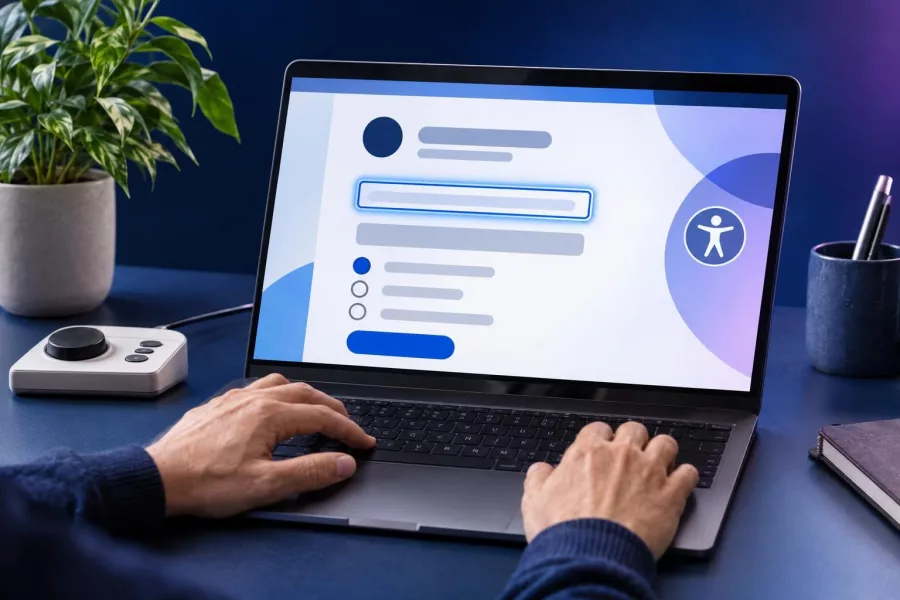
Test the experience, not just the code
A page that loads without an error is not necessarily ready. Test the actions people need to complete: links, forms, menus, and important page flows. Check common screen sizes and use keyboard navigation, too. A test should confirm that the feature behaves as intended, not merely that it exists.
For a form, try a valid submission and an incomplete one. Check that error messages explain what to fix, that entered information is not lost unnecessarily, and that a successful submission gives clear feedback. Repeat those checks after changes that could affect the form.
Make accessibility part of your routine
Accessibility means making a site usable by people with different needs and ways of interacting. Start with semantic HTML, descriptive link text, text alternatives for meaningful images, and visible focus when navigating with a keyboard. These practices help many visitors, not only people using assistive technology.
Automated checks can flag some issues, but they cannot judge every experience. Try using the page without a mouse, zoom the text, and check whether the content still makes sense. MDN recommends combining accessibility tools with hands-on checks and user testing. Its accessibility testing guide outlines practical ways to inspect a site.
For a broader reference, review the W3C Web Content Accessibility Guidelines. Use them as a guide to improve your work, not as a reason to skip testing with real users when that is possible.
Learn from feedback and keep improving
Code review is a chance to make a solution clearer and safer. Ask reviewers to check whether the change meets its goal, whether unusual cases are handled, and whether the code is easy to understand. When you receive feedback, ask for an example if a suggestion is unclear.
When a bug appears, reproduce it before changing code. Note the steps, identify what you expected, and compare that with what happened. Fix the underlying cause where possible, then test the same flow again. This method is more reliable than making several guesses at once.
Keep a short record of what you learned from each project. Note a tricky issue, how you solved it, and what you would do differently next time. Review that record when planning a similar feature. You can also explore how testing helps catch bugs early if you work with Laravel.
Build a portfolio that shows your process
A portfolio is stronger when it explains the problem, your decisions, and the result—not only the finished screen. Choose a few projects that demonstrate different skills, such as a responsive information page, a useful form, or a small application with saved data. Make sure each project is complete enough for someone else to try.
For each example, describe what you built, who it was for, and one challenge you handled. Include a link or images only when you have permission to share them. If a project is a practice exercise, say so clearly. Honest context helps people understand your work.
Keep improving the projects as your skills grow. Fix broken links, check mobile layouts, and make the code easier to read. For production sites, planned website maintenance and technical support can help keep features working after launch.
Frequently asked questions
What skills does a good web programmer need?
Learn HTML, CSS, JavaScript, browser debugging, and version control. Also practise communication, testing, accessibility, and breaking problems into manageable steps.
Do I need a computer science degree?
A degree can provide useful foundations, but it is not the only route. Practical projects, clear problem-solving, and evidence of your work can also help demonstrate your ability.
How can I practise web programming every day?
Pick a small feature, build it, and test it. You could improve a form, make a layout responsive, or fix a bug in a personal project. Keep the task small enough to finish.
Which programming language should I learn first?
For front-end web work, start with HTML, CSS, and JavaScript. Learn other languages when your project goals require them and after you understand the basics.
How do I know if my code is good?
Check whether it meets the user’s need, behaves reliably, can be understood by another developer, and has been tested for common issues. Ask for feedback and keep refining it.
Become a good web programmer through steady practice
You do not become a good web programmer by learning every tool at once. Focus on user needs, strong fundamentals, readable code, and regular testing. Build small projects, invite feedback, and improve what you have already made. If you need help planning or building a website, contact Herby Design to discuss your project.
Found this helpful? Share it
Good Web Programmer: Build Better Skills Through Practice — learn how to become a good web programmer through practical skills, user-focused planning, readable code, accessibility,…#WebDevelopment #WebProgramming #Accessibility #CodingSkills #HerbyDesign
Caption and hashtags copied: paste them into your post.
Need help with your website?
I build fast, SEO-ready websites and web applications.