Web Developer: A Practical Beginner Learning Plan
Learn how to become a web developer with a practical plan for core skills, portfolio projects, Git, testing, and your first opportunity.

To become a web developer, learn the core web skills, practise by building useful projects, and share your work in a clear portfolio. Start with HTML, CSS, and JavaScript before adding frameworks or server-side tools; this gives you a stronger base for solving real problems.
- Learn HTML, CSS, and JavaScript in that order, while building small pages.
- Use responsive design, accessibility, and browser testing from the start.
- Build a few complete projects and explain the choices behind them.
- Learn Git and publish your work so others can review it.
- Choose a front-end, back-end, or full-stack direction after learning the basics.
What a web developer does
A web developer builds and maintains websites or web applications. The work can include page layouts, interactive features, data handling, testing, and improvements after launch.
Some developers focus on the front end: the parts people see and use in a browser. Others work on the back end, which handles application logic, databases, and server responses. Full-stack developers work across both areas, though the exact mix varies by project.
You do not need to master every tool before you begin. A practical first goal is to create a small website that works on mobile and desktop, makes sense to use, and can be updated without confusion.
Learn the core web developer skills first
Build a foundation with HTML, CSS, and JavaScript
HTML gives a page structure and meaning. CSS controls its appearance and layout. JavaScript adds behaviour, such as opening a menu or checking a form before submission.
Learn these essentials before chasing a long list of frameworks. Practise semantic HTML, the box model, flexible layouts, basic programming logic, and browser developer tools. MDN’s Learn web development guides provide a structured starting point for beginners.
Make websites usable and dependable
Good development is more than making a page look right on your own screen. Check that text is readable, controls work with a keyboard, images have useful alternatives, and layouts fit narrow screens.
Also learn to inspect errors in the browser console and test your pages in more than one browser. These habits help you find problems before someone else does.
Follow a practical learning plan
Weeks one and two: create simple pages
Start with a basic HTML page, then use CSS to arrange headings, images, and sections. Rebuild a simple page from a design reference, but write the code yourself rather than copying a finished solution.
Keep each exercise small. For example, make a profile page with a short introduction, a project list, and contact details. Test it at both a phone-sized and a wide screen size.
Weeks three and four: add interaction
Use JavaScript for one clear purpose, such as a mobile navigation menu, a filterable list, or a form with helpful validation messages. Break the task into steps: identify the user action, update the page, and check the result.
When something fails, read the error and investigate one cause at a time. Looking up a specific error is more useful than pasting a whole project into a search box and hoping for a fix.
After the basics: pick a direction
Once you can build and explain a small site, explore a direction. A front-end learner can study a framework and component-based interfaces. A back-end learner can learn a server language, databases, and APIs. A full-stack learner can add these topics gradually.
Do not treat any one roadmap as a strict deadline. Learn the tools that suit your projects, and revisit fundamentals when a new tool feels confusing.
Build projects that show how you think
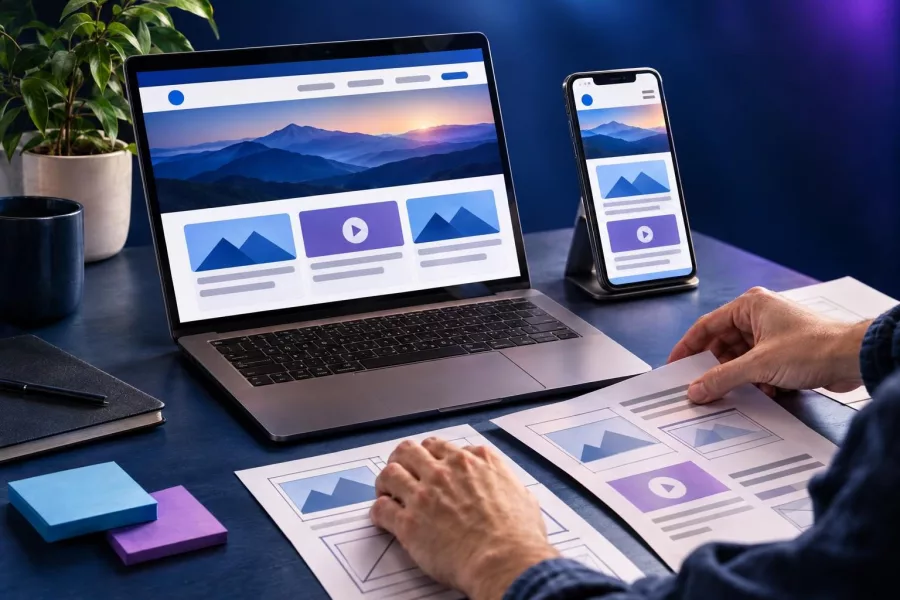
A portfolio is stronger when it shows finished work and explains your decisions. Aim for a few distinct projects rather than many unfinished tutorial copies. Each project should solve a small, understandable need.
- Personal site: Present your skills, projects, and contact details in a responsive layout.
- Business landing page: Organise key information, add a clear call to action, and consider accessibility.
- Small interactive app: Let users search, filter, or manage a simple list of items.
For each project, write a short description of its purpose, the tools used, and one challenge you solved. Include a live demo if you can, plus a link to the source code. Never publish passwords, private keys, or real customer information in a public repository.
For a broader project sequence, see this web developer roadmap. If you want to think carefully about work habits as you practise, read skills that make a good web programmer.
Use Git, feedback, and testing as everyday tools
Git records changes to your files, so you can review earlier versions and share work with others. Start with the basics: create a repository, make small commits with clear messages, and learn how branches help separate changes.
GitHub’s Introduction to GitHub exercise offers a hands-on introduction to repositories, branches, commits, and pull requests. These ideas matter even when you are learning alone: they help you keep your work organised.
Test your pages as you build. Try links, forms, menus, and layouts at different widths. Ask another person to use the page without instructions, then note where they hesitate. Feedback is most useful when you turn it into a specific change and test again.
Keep your code readable, too. Use meaningful names, remove unused experiments, and add short notes when a decision is not obvious. These habits make it easier for someone else—and your future self—to understand your work.
Prepare for your first web development opportunity
For a job, internship, freelance project, or volunteer task, present evidence of what you can do. Keep your portfolio easy to navigate, make sure its links work, and describe your part in each project honestly. If a project was guided by a tutorial, say so and explain what you changed or learned.
Practise explaining a project in plain language: what it does, who it helps, how you built it, and what you would improve next. You do not need to claim expertise in every technology. Clear communication and a realistic account of your skills build trust.
Look for small ways to gain experience, such as improving your own portfolio or helping with a community project. Before accepting paid work, clarify the scope, timeline, ownership, and support expectations. For a related overview, visit this practical guide to web developer skills and projects.
Frequently asked questions
How long does it take to become a web developer?
It depends on your time, background, and goals. Focus on steady practice and projects you can explain, rather than a fixed timeline.
Can I become a web developer without a degree?
Yes. A degree is not the only way to learn web development. A solid portfolio, practical skills, and clear communication can help demonstrate what you know.
Should I learn HTML and CSS before JavaScript?
Yes, learning basic HTML and CSS first makes it easier to understand what JavaScript is changing on a page. You can then practise all three together.
Do I need to learn a framework right away?
No. First learn how basic web pages work. A framework will make more sense once you understand the problems it helps solve.
What should my first portfolio project be?
Choose a small project you can finish, such as a personal site or a simple business page. Make it usable on mobile and explain the choices you made.
Start building, then keep improving
Becoming a web developer is a process of learning, making, testing, and improving. Begin with the fundamentals, finish useful projects, and share your progress honestly. If your business needs a website or web application, contact Herby Design to discuss your goals.
Found this helpful? Share it
Web Developer: A Practical Beginner Learning Plan — learn how to become a web developer with a practical plan for core skills, portfolio projects, Git, testing, and your fi…#WebDevelopment #JavaScript #BeginnerCoding #CareerSkills #HerbyDesign
Caption and hashtags copied: paste them into your post.
Need help with your website?
I build fast, SEO-ready websites and web applications.