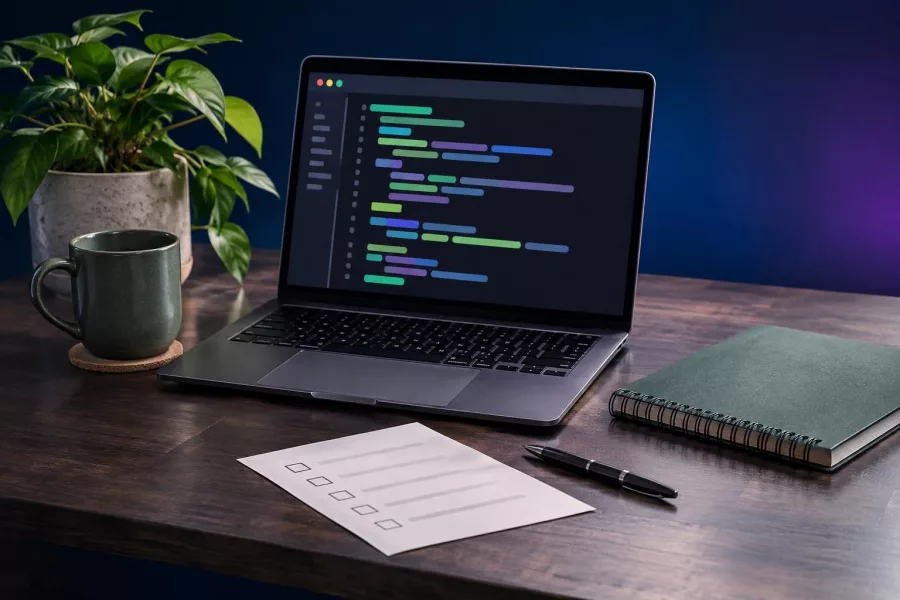
Web Developer Career: Build Skills and a Strong Portfolio
Learn how to become a web developer with practical foundations, portfolio projects, a repeatable workflow, and steps to prepare for your first role.

To become a web developer, build practical skills in HTML, CSS, and JavaScript, then use them to create and explain real projects. A strong portfolio shows how you solve problems, make pages work on phones, and improve your work through testing—not just which courses you finished.
- Learn web fundamentals before adding more frameworks and tools.
- Build a few complete projects that solve clear problems.
- Make each project responsive, accessible, and easy to review.
- Use feedback and a steady practice routine to prepare for work.
What a web developer career takes
A web developer turns ideas and designs into websites or web applications. Depending on the role, the work may focus on the visible parts of a site, the server and data behind it, or both.
There is no single required route into the field. A degree, course, or certificate can help structure learning, but practical skills matter too. Employers and clients need to understand what you can build and how you approach problems.
Start by choosing a direction to guide your learning. Front-end development focuses on what users see and interact with. Back-end development handles server logic and data. Full-stack work combines both, but beginners do not need to master every area at once.
Learn the foundations before choosing frameworks
Begin with semantic HTML, CSS, and JavaScript. HTML gives content structure, CSS controls its presentation, and JavaScript adds behavior. These foundations help you understand what frameworks do instead of relying on them blindly.
Build core browser skills
Practice creating pages with headings, links, images, forms, and clear navigation. Use CSS to make layouts adapt to different screen sizes. Add JavaScript for simple interactions, such as checking a form or opening a menu.
Learn how to use browser developer tools to inspect a page, spot errors, and test changes. Use Git to track your work and keep projects in a repository. These are everyday skills, not extras to leave until later.
Study quality alongside code
Good development includes accessibility, performance, and security basics. Accessibility means making a site usable by people with different needs and ways of navigating. Start with clear labels, keyboard-friendly controls, meaningful page structure, and helpful image descriptions.
MDN's Learn web development curriculum covers core skills and practices, including HTML, CSS, JavaScript, accessibility, and responsive design. Use it as a reference, not as a reason to postpone building things.

Build a portfolio that proves your skills
A portfolio is a small collection of work that helps someone judge your skills. Three thoughtful projects are usually more useful than a long list of unfinished tutorials. Choose projects that show different abilities and have a clear purpose.
Pick projects with a real user in mind
For example, build a service business website with a contact form, a product catalog with filters, or a simple booking interface. You could also create a dashboard using sample data. Keep the first version manageable, then add features as you learn.
For every project, write down the problem, the intended user, and the main features before coding. This keeps the work focused. It also gives you a clear story to explain when someone asks why you made particular choices.
Make each project easy to assess
Check that pages work on a phone as well as a desktop. Test links, forms, and interactive elements. Fix obvious layout problems, remove unused content, and make the project easy to navigate.
Include a short project description, a live demo if available, and a link to the source code. Explain what you built, which tools you used, and one challenge you solved. Be accurate about your role, especially when a project involved a team or a tutorial.
For a practical learning sequence, see this web developer roadmap. If you want a separate guide to career preparation, review how to become a web developer.
Practice with a repeatable project workflow
Working through a project in clear stages helps you learn more than copying code. It also mirrors how developers handle larger tasks: clarify the need, build a small solution, test it, and improve it.
- Define the goal. Write one sentence about who the project helps and what it should let them do.
- Plan the smallest useful version. List the pages or features needed to meet that goal. Save optional ideas for later.
- Build in small steps. Finish one part, check it in the browser, and keep your code organized.
- Test common situations. Try a narrow screen, keyboard navigation, empty form fields, and invalid input.
- Review and explain. Fix issues you find, then document your choices and next improvements.
When you get stuck, describe the problem precisely. Note what you expected, what happened, and what you already tried. Search documentation and error messages before replacing the code wholesale; learning to investigate is part of the job.
Get ready for your first job or client
Once you have a few finished projects, prepare to discuss your work. Practice explaining a technical choice in plain language. For example, describe why you changed a layout for mobile users or how you handled a form error.
Read job descriptions to understand the skills requested in your area. Treat them as clues, not a checklist that says you must know every tool before applying. Learn the recurring fundamentals, then pick up a framework or platform when a project or role calls for it.
Ask for feedback from developers, classmates, or communities that welcome beginners. Share a specific question and a small example. Useful feedback helps you spot gaps that are hard to notice on your own.
If your goal is freelance work, practice scoping a small job. Clarify the audience, pages, content, features, and what counts as finished. Clear communication can prevent misunderstandings even when the code is sound.
Keep learning without getting overwhelmed
Web development changes, but the basics remain useful. Do not chase every new language or tool. Focus on solving a problem with the tools you understand, then learn a new tool when it offers a clear benefit.
Set a routine you can maintain. A short, regular block of time for coding, reading documentation, and reviewing old work is more practical than an intense schedule you cannot sustain. Keep notes on errors and solutions so you can reuse what you learn.
When you finish a project, identify one improvement. It might be clearer navigation, a better mobile layout, or more helpful error messages. Revisit older projects occasionally to see how your judgment has improved.
For a broader view of practical work, explore web programmer skills and better websites. If you are planning a website project rather than a career, our website design and development service explains how professional projects can take shape.
Frequently asked questions
How long does it take to become a web developer?
It depends on your starting point, available study time, and target role. Focus on building and explaining working projects rather than relying on a fixed timeline.
Do I need a degree to become a web developer?
Not always. Employers and clients may value different qualifications, but a portfolio, practical skills, and clear communication can help demonstrate your ability.
Should I learn front-end or back-end development first?
Start with HTML, CSS, and JavaScript, then try a small project. Choose a deeper path based on the work you enjoy and the roles you want to pursue.
How many projects should my portfolio include?
Start with a few complete projects that show different skills. Make each one clear, usable, and easy to review instead of adding unfinished work.
Can I become a web developer by self-study?
Yes, self-study can work if you follow a plan, build projects, seek feedback, and practice explaining your decisions. A course or mentor can provide helpful structure, but neither replaces practice.
Start building your web developer career
Becoming a web developer is a process of learning fundamentals, making useful projects, and improving through feedback. Choose one small idea and build a working first version this week. If you need help planning a website project or want to discuss development support, contact Herby Design.
Found this helpful? Share it
Web Developer Career: Build Skills and a Strong Portfolio — learn how to become a web developer with practical foundations, portfolio projects, a repeatable workflow, and steps to…#WebDevelopment #BeginnerCoding #CareerSkills #PortfolioProjects #HerbyDesign
Caption and hashtags copied: paste them into your post.
Need help with your website?
I build fast, SEO-ready websites and web applications.