Web Developer: A Practical Guide to Skills and Projects
Learn how to become a web developer with a clear plan for core skills, practical projects, accessibility, and your first role.

To become a web developer, learn HTML, CSS, and JavaScript, then use them to build and improve real websites. Start with the fundamentals, practise through small projects, and show your work in a portfolio. You do not need to master every framework before you begin.
- Learn the web basics before adding frameworks.
- Build projects that solve clear, simple problems.
- Practise accessibility, responsive design, testing, and Git.
- Use your portfolio to explain what you built and how you made decisions.
What a web developer does
A web developer builds and maintains websites or web applications. The work can include writing code, fixing bugs, improving accessibility, and making pages work across devices and browsers.
Some developers focus on the front end: the parts people see and use. Others work on the back end, which handles data, accounts, and server-side rules. Full-stack developers work across both areas, though the exact role varies by employer.
If you are new, choose one direction to begin. Front-end development gives you visible results quickly, while basic back-end concepts help you understand how complete applications work. You can expand your focus as you gain experience.
Web developer skills to learn first
Build a solid foundation before chasing tools that change often. The essential skills help you understand what your code does, find problems, and make useful improvements.
HTML, CSS, and JavaScript
HTML gives a page its structure and meaning. CSS controls how that content looks and adapts to different screen sizes. JavaScript adds behavior, such as opening a menu or checking a form before submission.
Learn semantic HTML, which means using elements according to their purpose. For example, use a button for an action and a link for navigation. This makes pages clearer to users, browsers, and assistive technology.
Browser tools and Git
Use your browser’s developer tools to inspect pages, check layout issues, and read error messages. Learn Git, a version control tool that records changes to your code. It helps you review your work and recover from mistakes.
Also practise reading documentation and breaking problems into smaller steps. These habits matter because developers regularly work with unfamiliar code and tools.
Accessibility and responsive design
Accessibility means making websites usable by people with different abilities and ways of interacting. Start with keyboard-friendly controls, clear headings, useful link text, and meaningful labels for form fields.
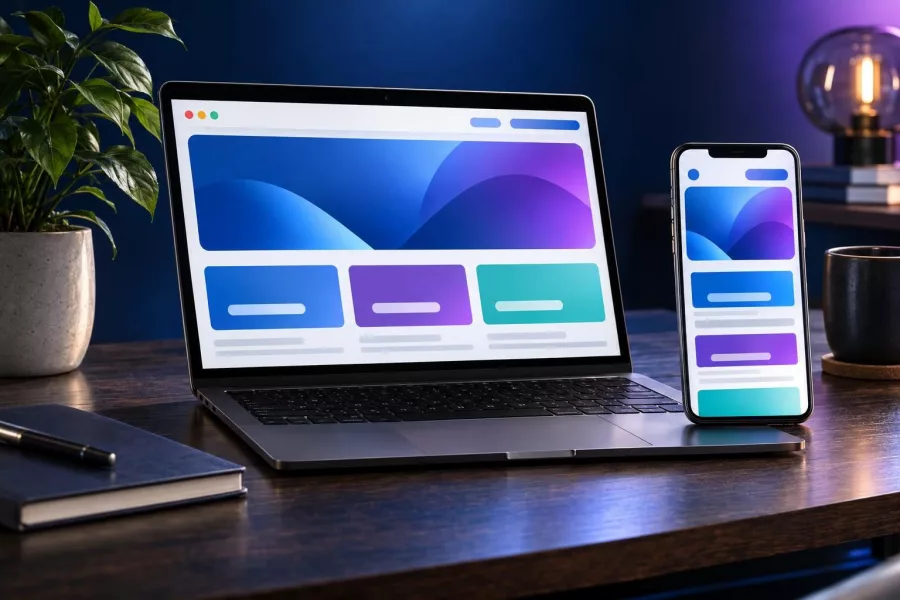
Responsive design helps a page work on narrow and wide screens. Test your projects at different viewport sizes, and check that text, images, and controls remain usable rather than simply shrinking.
A practical web developer learning plan
A simple plan keeps learning focused. Spend enough time on each stage to build something and explain what you learned. Move forward when you can use the basics without copying every step from a tutorial.
- Get comfortable with HTML. Build a page with headings, paragraphs, lists, links, images, and a form.
- Practise CSS. Style the page, use flexible layouts, and make it readable on mobile and desktop.
- Add JavaScript. Create one useful interaction, such as a menu toggle or a form confirmation.
- Use Git. Save changes in small steps and write commit messages that explain them.
- Test and improve. Check the page with a keyboard, inspect different screen sizes, and fix issues you find.
- Publish a project. Put a finished project online and include a clear description in your portfolio.
Mozilla’s MDN Curriculum outlines beginner front-end skills, including web standards, HTML, CSS, JavaScript, accessibility, and version control. Its Learn web development guides are designed to take beginners toward comfortable use of the fundamentals.
Build projects that prove your skills
Tutorials can teach a concept, but projects show whether you can apply it. Begin with small work you can finish. A personal profile, a local service page, or a simple task list can all give you practice with layout, forms, and interactions.
Make each project yours. Change the content, add a feature, or improve the design instead of copying a tutorial exactly. When something breaks, describe the problem, inspect the browser, and test possible fixes. That process is part of the skill.
For every portfolio project, include a short explanation of its purpose, the tools you used, and one challenge you solved. Add a link to the live version and, if appropriate, the source code. Do not claim features you have not built.
When your basics are reliable, try a small project using a framework or back-end technology. Frameworks can help organize larger applications, but they do not replace understanding HTML, CSS, and JavaScript.
How to prepare for your first web developer role
Read job descriptions for the kind of role you want. Note repeated skills, then compare them with your current projects. Use the gap to choose what to practise next, rather than trying to learn every tool mentioned in every listing.
Make your portfolio easy to scan. Keep project descriptions brief and specific, check that links work, and ensure the site itself works on mobile. A strong project explanation can show how you think, not just which language you used.
Practise talking through your decisions: what the page should do, how you structured it, what you tested, and what you would improve. You can also contribute to a small team project or help with a real site, provided expectations and responsibilities are clear.
Keep learning after you apply. Web standards, tools, and team practices evolve. The useful long-term habit is knowing how to find reliable documentation, test an idea, and explain the result.
Common beginner mistakes to avoid
- Jumping between courses. Pick one structured resource and finish its core lessons before switching.
- Learning frameworks too early. First understand the browser, HTML, CSS, and JavaScript basics.
- Only watching tutorials. Pause, build your own version, and troubleshoot without following every step.
- Ignoring accessibility. Make keyboard use and clear structure part of every project from the start.
- Waiting for perfect work. Publish a modest finished project, then improve it with feedback.
For continued learning, see Herby Design’s guide to web developer skills and projects and its article on skills that last for web programmers. If you need a site built for a business rather than a practice project, explore website design and development.
Frequently asked questions
Can I become a web developer without a degree?
Yes. A degree is not the only way to learn web development. Build practical skills, complete projects, and show clearly what you can do.
How long does it take to learn web development?
It depends on your time, practice, and starting point. Focus on steady progress and finished projects rather than a fixed timeline.
What should I learn first to become a web developer?
Start with HTML, CSS, and JavaScript. Add browser tools, Git, accessibility, and responsive design as you build projects.
Should I learn front-end or back-end development first?
Choose based on the work that interests you. Front-end gives you visible page results; back-end focuses more on data and server logic. Learning basic concepts from both is useful.
Do I need a portfolio to apply for a first role?
A portfolio helps show your skills, especially when you have limited work experience. Include a few finished projects and explain your contribution honestly.
Start building your web developer skills
Becoming a web developer is a practical process: learn the fundamentals, build projects, test them with care, and keep improving. Choose one small project this week and finish a working version. If you need help planning or building a business website, contact Herby Design.
Found this helpful? Share it
Web Developer: A Practical Guide to Skills and Projects — learn how to become a web developer with a clear plan for core skills, practical projects, accessibility, and your first…#WebDevelopment #BeginnerCoding #DeveloperPortfolio #HTMLCSSJavaScript #HerbyDesign
Caption and hashtags copied: paste them into your post.
Need help with your website?
I build fast, SEO-ready websites and web applications.