Web Developer Portfolio: Projects That Prove Your Skills
Build a web developer portfolio that proves your skills with focused projects, clear case studies, working demos, and practical review tips.

A strong web developer portfolio helps employers see how you solve real problems, not just which tools you have tried. Build a small set of finished projects, then explain each project’s purpose, your decisions, and what someone can click or review.
- Choose three useful projects that show different skills.
- Give every project a working demo, readable source code, and a clear description.
- Write case studies that explain your role, approach, challenges, and lessons.
- Keep your portfolio easy to scan, test, and update.
Why a web developer portfolio matters
A résumé lists your experience. A portfolio gives people a way to verify it. A working demo shows the result, while a code repository can show how you approached the work.
You do not need a large collection of projects. A few polished examples are often more useful than many unfinished demos. Aim to make the most relevant work easy to find within a minute.
A portfolio can help whether you are applying for a first role, looking for freelance work, or moving into a different area of development. It does not guarantee a job, but it can make your skills easier to assess.
If you are still choosing what to learn, use this web developer roadmap to plan your next steps. Then make projects that show those skills in practice.
Choose projects that prove useful skills
Pick projects that solve a clear problem and let you show how you work. A project does not need a real client. It should, however, have a believable user and purpose.
Show range without building too much
Three projects can cover a useful range: a responsive information site, an interactive application, and a project that uses an API or database. Choose examples that fit the kind of role you want. A front-end role may call for strong interface work; a full-stack role may need evidence of data handling and server-side logic.
Avoid presenting tutorial exercises as original work. If you started from a tutorial, extend it with your own features, design choices, or data. Be clear about what you built yourself.
Use a simple project brief
Before coding, write a short brief. Name the user, the problem, and the main task they need to complete. For example: “A small shop owner needs to review incoming orders and update their status.” That brief can guide your features and help you explain the result later.
Keep the first version small. Build the key task, make it usable on a phone, and handle common errors. Extra features matter less than a complete, understandable result.
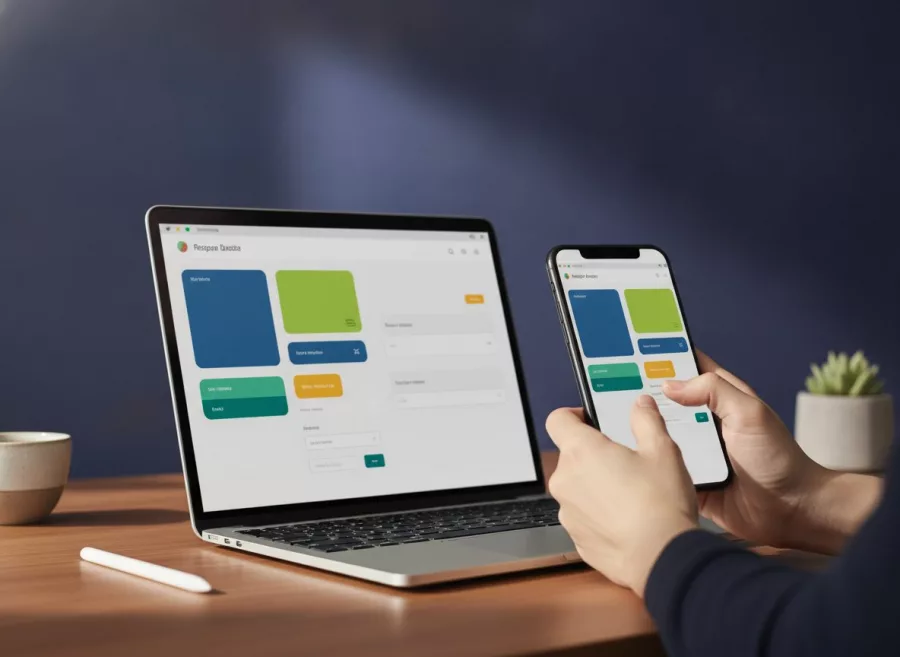
Make each web developer portfolio project easy to review
For each project, provide a live demo and a link to the source code when you can share it. Test the demo on a phone and a desktop. Remove broken links, sample credentials that no longer work, and placeholder content.
Write a short project summary that answers four questions: What does it do? Who is it for? What did you build? What should a visitor look at? Put the answer near the top, not after a long technical introduction.
Write a README that saves the reviewer time
A useful README explains the project in plain language. Include the purpose, main features, technologies, setup steps, and known limits. Add screenshots only when they clarify the interface. Make sure setup instructions match the current code.
Do not expose private keys, passwords, or personal data in a public repository. Use sample data and configuration examples instead. If a project contains private client work, describe your contribution without sharing confidential code or details.
Check the basics before sharing
- Confirm the main buttons, forms, and navigation work.
- Check layout at narrow and wide screen sizes.
- Make headings, labels, and links clear.
- Look for browser console errors and failed requests.
- Use a descriptive page title and sensible page content.
- Check that the demo and repository links open without special access.
For a site project, consider whether a business could understand the purpose and next step quickly. This connects your technical choices with the needs behind a business website.

Write case studies that show your thinking
A case study is a short explanation of how a project came together. It should tell a clear story, not claim that every project changed the world. Use facts you can support, and say when a project is a practice build.
Explain the problem and your role
Start with the project goal and intended user. Then state what you personally handled. If you worked with others, distinguish your contribution from the team’s work. This helps readers understand your choices fairly.
Describe decisions and trade-offs
Explain one or two meaningful decisions. You might describe how you structured a form, handled loading states, or chose a simpler design to make the main task clearer. Briefly mention another approach you considered and why you did not use it.
Include a challenge and how you addressed it. For example, you may have found that a layout became hard to use on small screens. Explain what you changed and how you checked the result. Do not invent performance gains or user outcomes if you did not measure them.
End with what you learned
Share what you would improve with more time. This shows reflection and gives you a useful way to discuss the project in an interview. Keep the lesson specific, such as adding better form feedback or writing tests for a key interaction.
Build a clear portfolio page
Make the home page straightforward. A short introduction, your role or target role, a few selected projects, and contact details are enough to get started. Put your strongest and most relevant work first.
Use a simple project card with a title, one-sentence summary, and links to the demo and case study. Use clear labels such as “View live demo” and “Read the case study.” Avoid relying on icons alone to explain where a link goes.
Add a brief skills section, but connect skills to evidence. Instead of listing a long set of tools, say which project demonstrates a particular skill. Keep your résumé, professional profile, and portfolio details consistent.
Your portfolio itself is also a sample of your work. Make it responsive, readable, and quick to understand. If the site needs a complete redesign or custom build, explore website design and development as an example of the kind of work a developer may deliver.
Keep your portfolio honest, safe, and current
Review your links before sending an application. A broken demo can distract from good work. If an old project no longer runs, repair it, replace the demo, or clearly mark it as archived.
Be careful with claims. State what you built and what you tested. If you have no user data, do not claim that a project improved conversion or saved time. You can describe intended benefits, but label them as goals rather than measured results.
Respect privacy and ownership. Get permission before showing client work, use fictional or approved data, and do not publish code that belongs to an employer or customer. When you cannot share a live project, offer a sanitized description of your role and the technical problem.
Update your featured work when your goals change. A portfolio for a front-end role should lead with interface and browser skills; a backend-focused portfolio should make data and server-side work clear. For ongoing site quality, you can also review website maintenance and technical support.
Frequently asked questions
How many projects should a web developer portfolio have?
Start with three polished projects. Add more only when each one shows a useful skill or a different kind of work.
Do I need a portfolio website to get a web developer job?
A personal website is helpful, but the important part is clear evidence of your work. You can also share public repositories, demos, or relevant contributions.
What should a beginner web developer portfolio include?
Include a short introduction, a few finished projects, links to demos and code, concise project notes, and a way to contact you.
Can I include tutorial projects?
Yes, if you explain the tutorial’s role and add meaningful original work. Do not present copied exercises as projects you designed independently.
Should I include client work?
Only when you have permission. If the work is confidential, describe your contribution without sharing private information or restricted code.
Build proof one project at a time
A useful web developer portfolio is focused, honest, and easy to review. Pick one project that matches your next goal, finish it, and explain the choices behind it. If you need help planning or building a professional website, get in touch with Herby Design.
Found this helpful? Share it
Web Developer Portfolio: Projects That Prove Your Skills — build a web developer portfolio that proves your skills with focused projects, clear case studies, working demos, and pr…#WebDevelopment #Portfolio #CareerAdvice #Projects #HerbyDesign
Caption and hashtags copied: paste them into your post.
Need help with your website?
I build fast, SEO-ready websites and web applications.