Web Developer Roadmap: Skills, Projects, and First Steps
Learn how to become a web developer with a practical roadmap covering core skills, portfolio projects, study habits, and job preparation.

To become a web developer, learn HTML, CSS, and JavaScript, then build and publish small projects that solve real problems. Choose a front-end, back-end, or full-stack direction as you gain experience; you do not need to master every tool before you begin.
Key takeaways
- Start with web foundations before adding frameworks.
- Practice by building complete, usable projects—not only by watching tutorials.
- Learn Git, accessibility, responsive design, and basic debugging alongside coding.
- Publish a small portfolio and explain the choices behind each project.
- Keep learning from reliable documentation as tools change.
Choose your web developer path
Web developers create and maintain websites and web applications. The role can involve writing code, shaping page layouts, connecting databases, or improving a site's speed and accessibility. What you learn first depends on the work you want to do.
Front-end development
Front-end developers build the parts people see and use in a browser. Their core tools are HTML for page structure, CSS for appearance and layout, and JavaScript for interaction. Responsive design and accessibility matter because people use different devices and assistive technologies.
Back-end development
Back-end developers work on the server side. They build application logic, handle data, and connect services through APIs. Common starting choices include PHP, JavaScript with Node.js, or Python. Learn one language well before trying several.
Full-stack development
Full-stack developers work across front-end and back-end tasks. It can be a useful long-term direction, but beginners usually learn faster by building a solid foundation in one area first. Once you can create and explain a small working project, add the other side.
Learn the foundations in a practical order
A clear sequence helps you avoid jumping between tools. Study one concept, use it in a small exercise, and then apply it in a project. The MDN Learn Web Development curriculum offers structured lessons, practice tasks, and guidance for beginners.
- HTML: Learn headings, paragraphs, links, images, forms, and semantic elements. Semantic HTML means choosing elements for their purpose, such as a button for an action.
- CSS: Practice selectors, the box model, Flexbox, Grid, and responsive layouts. Re-create a simple page at both phone and desktop widths.
- JavaScript: Learn variables, functions, arrays, objects, events, and working with page elements. Build small interactions, such as a menu or form that checks user input.
- Git: Track changes to your work and learn to save clear checkpoints. Git helps you review mistakes and share code with others.
- Browser tools: Use developer tools to inspect a page, read errors, and test layout changes. Learn to investigate problems rather than guessing.
Do not rush into a framework before you understand the basics it builds on. Frameworks can make common tasks easier, but they do not replace knowledge of HTML, CSS, or JavaScript.
Build projects that show what you can do
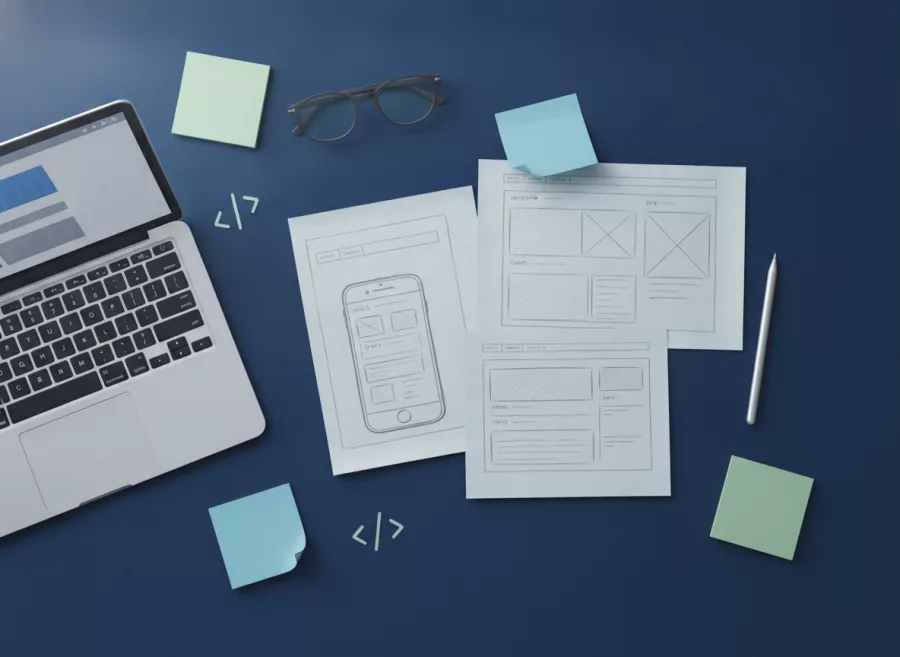
Projects turn lessons into evidence of skill. Start with a small goal, finish it, and improve it after testing. A few clear projects teach more than a long list of unfinished tutorial exercises.
- Personal profile page: Use semantic HTML, responsive CSS, and working links.
- Business landing page: Present a service, make the page usable on mobile, and include a clear contact action.
- Interactive tool: Build a tip calculator, task list, or simple form using JavaScript.
- Data-driven project: When ready, connect a small app to an API or database and explain how it handles errors.
For every project, write down the problem, your approach, and one thing you would improve next. Test keyboard navigation, check the page at narrow widths, and make sure links and forms work. If the project is public, include a live demo and a link to its source code.
When you are ready to build larger sites, explore how professional website design and development combines layout, content, and implementation. You can also study a practical example of mobile-first responsive design to understand how to plan for small screens.
Create a steady learning routine
Regular practice is more useful than waiting for a perfect study plan. Set aside repeatable blocks of time, choose one skill for each session, and finish with working code. Keep a short note of what you learned and what confused you.
Use tutorials actively
Follow a lesson once, then close it and rebuild the result from memory. Change one feature and observe what happens. This helps you learn how code works instead of only learning to copy it.
Read documentation and ask focused questions
Official documentation explains how a language or tool is intended to work. Search for the exact behavior you need, try a small example, and compare the result with what you expected. When asking for help, share the smallest relevant code sample and describe the steps you already tried.
AI coding tools can help explain an error or suggest a starting point. Check their suggestions in documentation and run the code yourself. Do not add code you cannot explain or test.
For a broader view of how developers keep learning, the 2025 Stack Overflow Developer Survey reports on learning resources and technology use among survey respondents. Treat survey findings as context, not a required learning plan.

Prepare a portfolio and apply for opportunities
A portfolio should make it easy to understand your work. It does not need elaborate animation or a long list of projects. Choose two or three finished examples that show different skills, and describe what each one does.
- Use a short introduction that says what kind of work you are learning to do.
- For each project, explain its purpose, tools, and your contribution.
- Provide a live link when practical, plus readable source code.
- Check spelling, mobile layout, loading behavior, and broken links.
Look at entry-level job descriptions to identify common skills, but do not treat every listing as a checklist you must complete before applying. Prepare to explain how you debugged a problem, made a design decision, or responded to feedback. Small freelance tasks, internships, volunteer projects, and personal builds can all help you practice professional communication.
If you want to understand how a server-side framework fits into a project, this Laravel beginner guide introduces habits that support cleaner development. For businesses needing a tailored site or application, see custom web application development.
Common mistakes to avoid
Trying to learn every tool at once
Too many languages and frameworks can make progress feel scattered. Pick one learning path and stay with it long enough to finish projects. Add a new tool when you can name the problem it will help solve.
Watching lessons without building
Understanding a video is not the same as writing code independently. After each lesson, make a small change or build a related feature without following every step.
Ignoring accessibility and testing
A page that looks right in one browser window may still be difficult to use. Test keyboard access, form labels, text contrast, and different screen widths. Check errors in the browser console and fix broken links before sharing your work.
Expecting one certificate to do all the work
Courses can provide structure, but employers and clients also need to see how you apply what you learned. Use any course or certificate as a reason to build, practice, and explain real examples.
Frequently asked questions
How long does it take to become a web developer?
It depends on your starting point, available study time, and the roles you pursue. Focus on steady practice and finished projects rather than a fixed deadline.
Do I need a computer science degree?
Not always. Some employers ask for a degree, while others focus more on practical skills and experience. Check the requirements for the roles in your area.
Can I learn web development for free?
Yes. Free documentation, lessons, and practice projects can help you learn the fundamentals. You may choose paid training for structure, but it is not the only path.
Should I learn front end or back end first?
Start with the work that interests you most. If you are unsure, learn HTML, CSS, and JavaScript basics first; they help you understand how websites work in a browser.
What should my first portfolio project be?
Build a simple, responsive profile or landing page with clear content and working links. Finish it, test it, and explain what you learned.
Start with one small project
Becoming a web developer is a process of learning, building, testing, and improving. Choose one foundation skill today, then use it to make something you can share. If your business needs help turning an idea into a website, contact Herby Design to discuss the next step.
Found this helpful? Share it
Need help with your website?
I build fast, SEO-ready websites and web applications.