Business Website: Does Your Small Business Need One?
Does your business need a website? Learn when it helps, how it complements social media, and what to include in a practical first version.

A website can give your business a reliable place to explain what you offer, answer common questions, and help customers contact or buy from you. It is not essential for every business at every stage, but a simple business website can support trust and discovery beyond social media.
- A website is most useful when potential customers search for you before making contact.
- You can start with one focused page instead of building a large site.
- Keep social profiles and business listings, but use your website as the central source of information you control.
- Set a clear goal, such as calls, bookings, enquiries, or online orders.
When a business website is worth having
People often look up a business after hearing its name from a friend, seeing a social post, or passing its shop. A useful website lets them confirm what you do and decide what to do next. That may mean calling, asking for a quote, booking a visit, or placing an order.
A website may be especially valuable if you need to show examples, explain a service, list practical details, or attract customers beyond your existing network. For example, a Cebu-based home repair service could publish its service area, types of repairs, photos of completed work, and a clear way to request an estimate.
But a website is not an automatic fix for weak demand. If your business is still being tested, or you have enough work from existing clients and do not want more, a large site may not be the best next step. Decide what business problem the site should solve before investing time or money.
Business website or social media: what is the difference?
Social media can help people discover your business and see recent updates. It is often quick to set up, and customers may already use it to ask questions. Keep using it if it serves your audience.
Your website gives you more control over how information is arranged and presented. It can hold the details customers need in one place, such as services, opening hours, policies, location, and contact options. A social profile can change its features or reach; a website gives you a home base that you manage.
These channels work best together. A social post can introduce an offer, while a link directs interested people to a page with full details. A business listing can help someone find your location, while your website explains what to expect before they visit.
For more background on planning pages and priorities, see Small Business Website: What to Build First. If you are choosing a partner to create the site, this Web Developer Cebu hiring checklist can help you compare options.
Start with one clear goal and a small site
You do not need to publish every page at once. Start with the main task you want the site to support. A local salon might want more appointment requests. A consultant may want qualified project enquiries. A shop might want customers to browse products and order online.
Choose the next action for visitors
Write one sentence that describes the action you want a visitor to take. For example: “Call us to ask about available appointment times.” Make that action easy to spot, and repeat it where it makes sense.
Cover the information customers need
A practical first version often includes a short business introduction, the main products or services, contact details, and a clear next step. Add service areas, opening hours, pricing guidance, photos, or customer policies when they help people make a decision.
Use language customers understand. Replace vague claims such as “solutions for every need” with specific descriptions of the work you do and who you serve. If you sell online, explain delivery, payment, and returns before customers reach checkout.
For a service business, a concise website may be enough to begin. For a business with many products, stock changes, or online payments, you may need a proper store rather than a single information page. Herby Design offers website design and development and e-commerce development for different site needs.
Make the website easy to use and trust
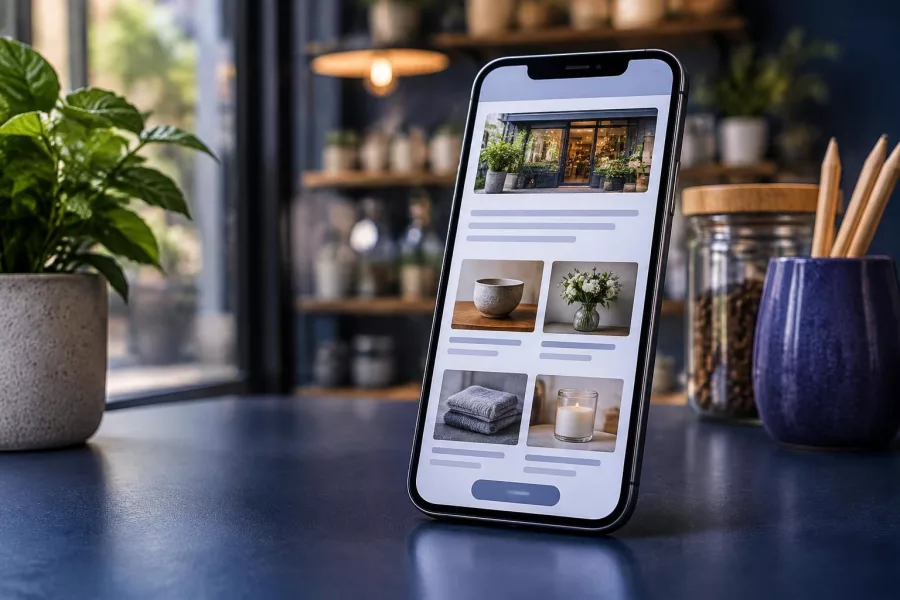
A useful website should work well on phones, load without unnecessary delays, and make important details easy to find. Many visitors will arrive on a small screen, so test pages on a phone before you share the link widely.
Check that buttons and phone numbers work, forms send to the right inbox, and links open the correct pages. Use readable text, clear headings, and images that support the message. Avoid hiding contact details or making visitors guess what happens after they submit a form.
Trust also comes from accurate information. Keep your business name, location, hours, service descriptions, and contact details current. Use real, relevant photos where possible, and do not publish customer testimonials or claims without permission and a sound basis.
Set up a simple way to review site performance. You might record calls, form submissions, bookings, or completed orders. The right measure depends on the goal; a site can receive visits without bringing the kind of enquiry your business needs.
Plan for updates, safety, and discoverability
A website is not finished forever once it goes live. Review it when your services, hours, prices, or policies change. Check forms and key links from time to time, and keep a backup so you can recover from a mistake or technical problem.
Search visibility also takes useful content and clear structure. Describe your services in plain words, give each important page a clear purpose, and make it easy for visitors to move between related pages. Google’s helpful content guidance offers advice on creating content for people rather than writing only to manipulate rankings.
Do not expect a new website to appear at the top of search results immediately. Search engines need to discover and understand pages, and results depend on many factors. A focused search engine optimization plan can help improve the site over time, while ongoing maintenance and technical support helps keep it working.
Decide whether to build now or wait
Ask a few practical questions before committing. Do new customers look for your type of business online? Do people ask for details you repeatedly explain by message? Would a website help you accept bookings, show your work, or reduce friction in buying?
If the answer is yes, start with the smallest site that can do the job well. If you are still validating an idea, use a basic page or existing channels while you learn what customers ask for. Revisit the decision when you have a clearer offer or need a better way to manage enquiries.
Think beyond the first build, too. Someone must update information, check forms, renew hosting or domain services, and handle technical issues. You can do some tasks yourself, but plan for upkeep so the site does not become inaccurate or unreliable.
Frequently asked questions
Do I need a website if I already use Facebook or Instagram?
Not always, but a website gives you a central place for complete information and actions such as enquiries or bookings. Social media can support discovery and conversation alongside it.
Can I start with a one-page website?
Yes. A single page can work when it explains your offer, gives essential details, and makes the next step clear. Add pages later when customers need more information.
What should a small business website include first?
Start with a clear description of your business, key services or products, contact details, and one primary action. Add information such as hours, location, delivery, or policies when relevant.
Will having a website automatically bring customers?
No. A website supports your business, but people still need to find it and trust what it says. Share it through suitable channels, keep it useful, and review whether it helps meet your goal.
How often should I update my website?
Update details whenever they change, and check important pages, links, and forms regularly. A quick review prevents customers from relying on outdated information.
Start with the website your business needs
A business website does not have to be large to be useful. Focus on accurate information, an easy customer journey, and one clear business goal, then improve the site as your needs change. If you are ready to plan a website, contact Herby Design to discuss your project.
Found this helpful? Share it
Business Website: Does Your Small Business Need One? — does your business need a website? Learn when it helps, how it complements social media, and what to include in a practi…#SmallBusiness #WebsitePlanning #OnlinePresence #CebuBusiness #HerbyDesign
Caption and hashtags copied: paste them into your post.
Need help with your website?
I build fast, SEO-ready websites and web applications.