How to sign up a Web Hosting
How to Sign Up a Web Hosting at Hostgator. I used HostGator as my Web Hosting of all my Domains, You can also check on how to buy domains. Here are the steps on how to sign up a web hosting. 1. Please go to HostGator or click here, and clic...

How to Sign Up a Web Hosting at Hostgator.
I used HostGator as my Web Hosting of all my Domains, You can also check on how to buy domains.
Here are the steps on how to sign up a web hosting.
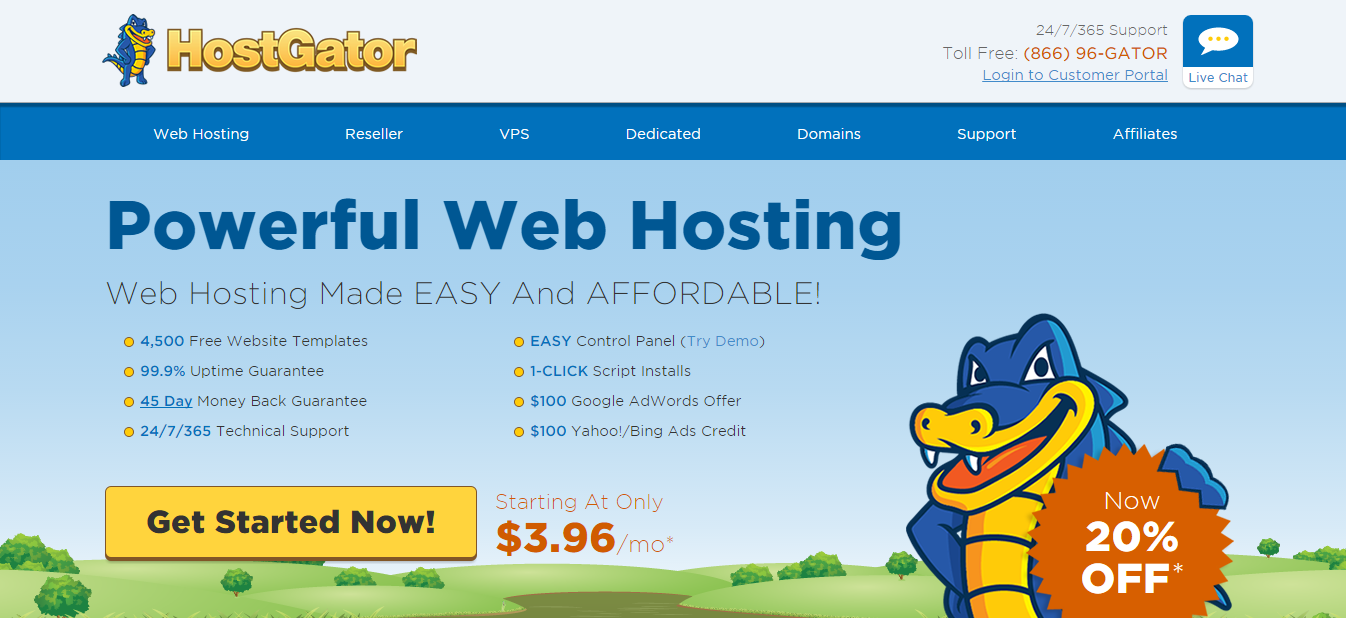
1. Please go to HostGator or sign up for HostGator here, and click Get Started! button.
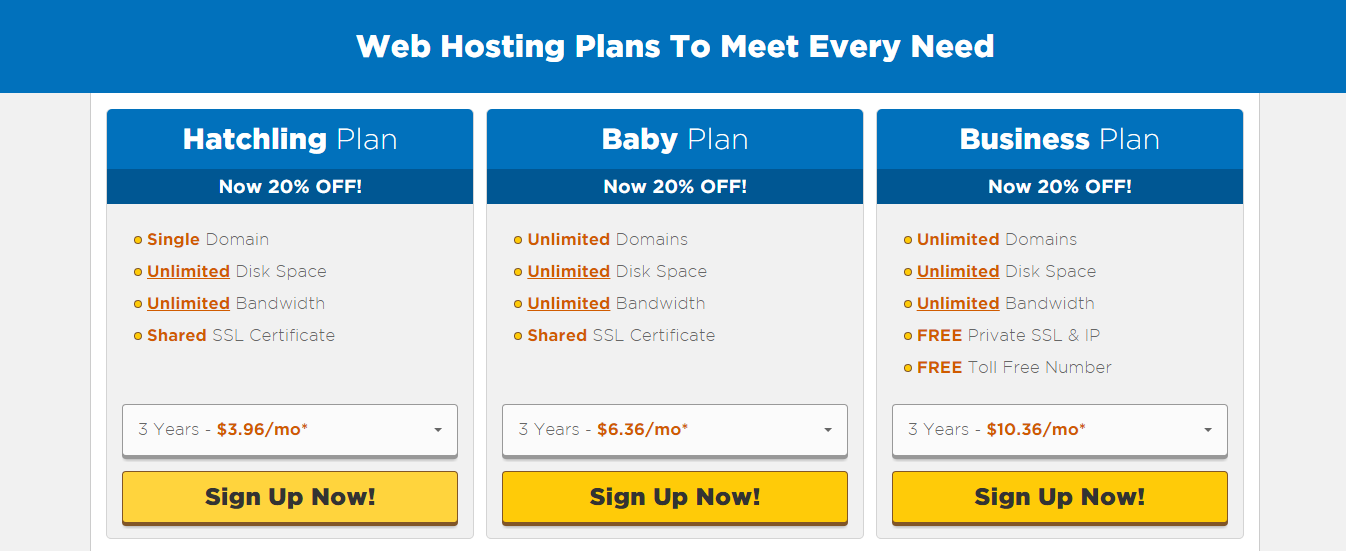
2. Next is you need to choose a plan, either Hatchling Plan, Baby Plan or Business Plan. This are the 3 web hosting plan of HostGator.
If ever you just need one WordPress website, I suggest you choose Hatchling Plan. But if you have multiple domains to be hosted just choose Baby Plan.
For this tutorial I choose Hatchling Plan, and click the button “Sign Up Now!” .
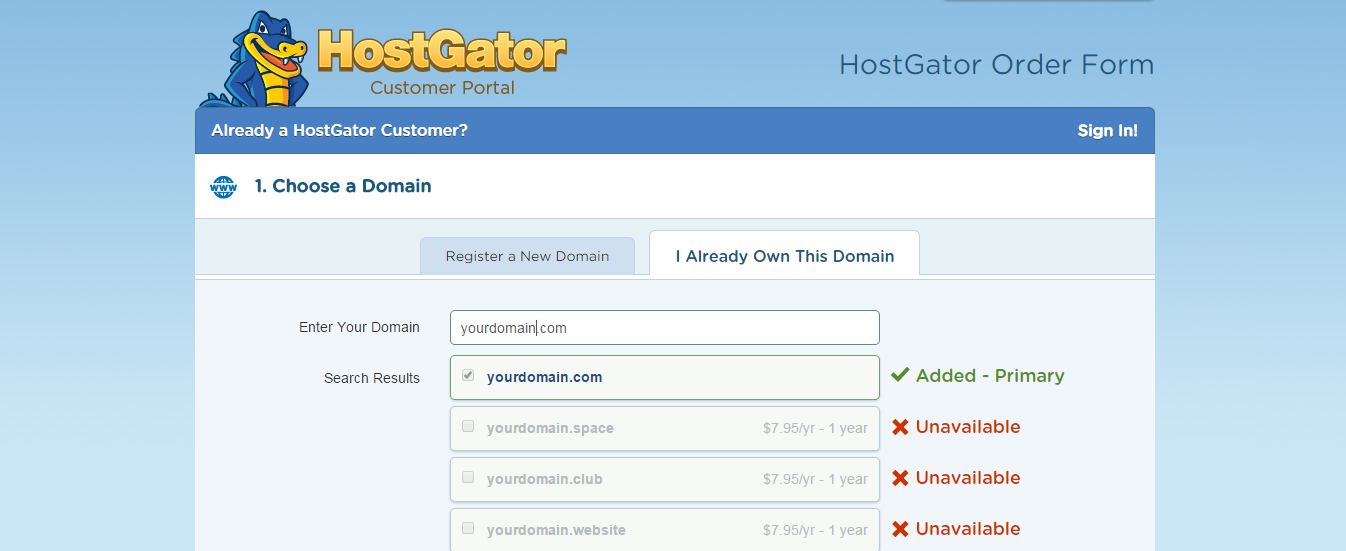
3. We are now on the HostGator Order Form page. There are two choices to Register a New Domain or I already Own This Domain.
Now let’s assume that we already have a domain name called “www.yourdomain.com” .
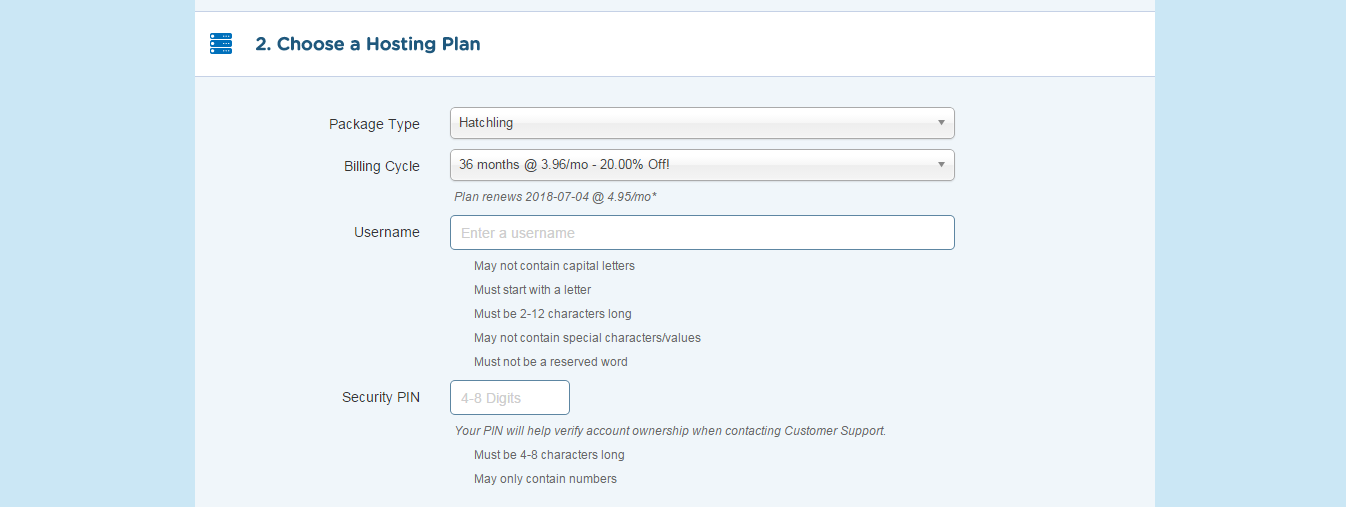
4. Let’s reviewed our Hosting Plan, on this page you can select a Billing Cycle either 6, 12, 24 and 36 months. You can use the Coupon code herbydesign13 to get 25% discount.
Please type your username and 4-8 Digits Security PIN .
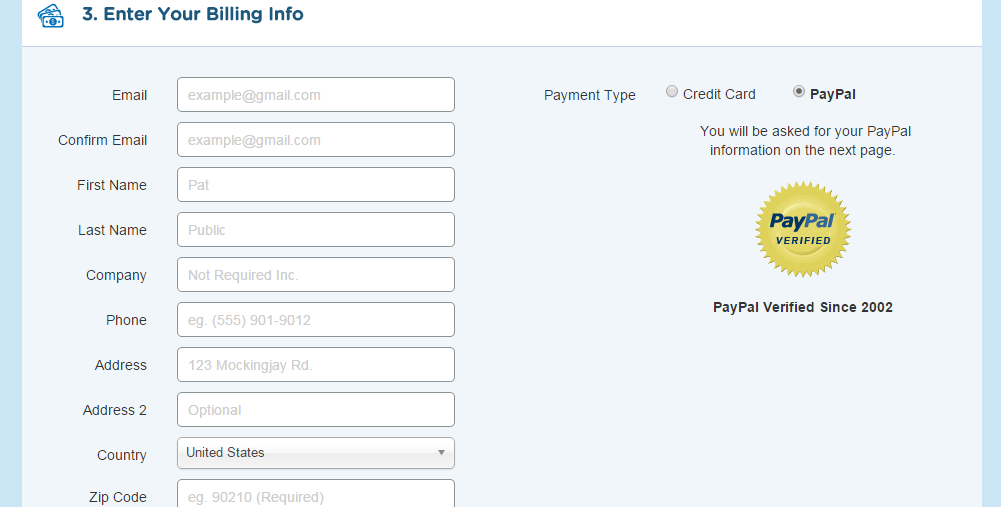
5. You need to type your Email, Name, Address, Phone number and so on. I suggest to type correctly your Information, because HostGator will verify it.
After signing, you can now select a payment method using a Credit Card or Paypal.
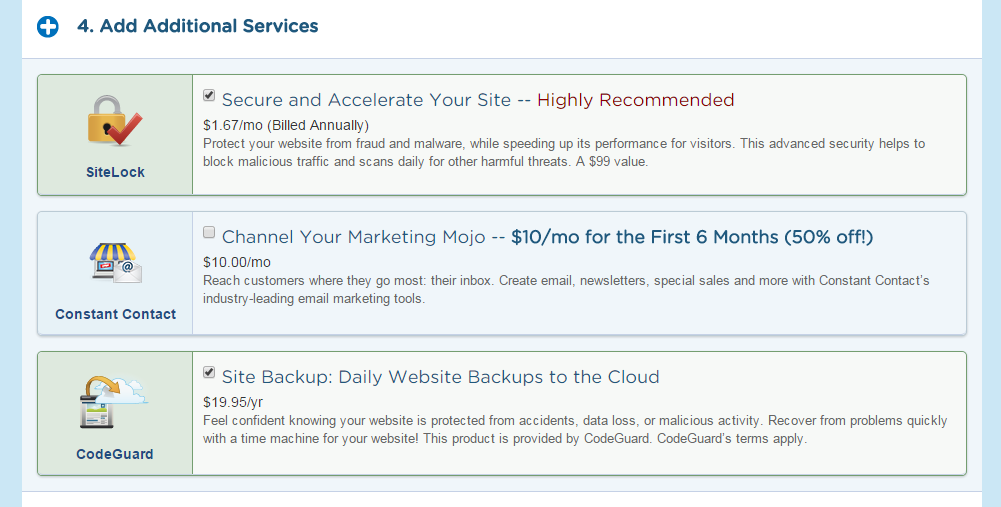
6. There are others interesting Additional Services like SiteLock, Search Engine, CodeGaurd. But this are not important to this tutorial.
My suggestion is to unselect all the Additional Services, So that it won’t add extra cost.
7. As what I have said on #4 that You can use the Coupon code herbydesign13 to get 25% discount. Please review all the details before you proceed.
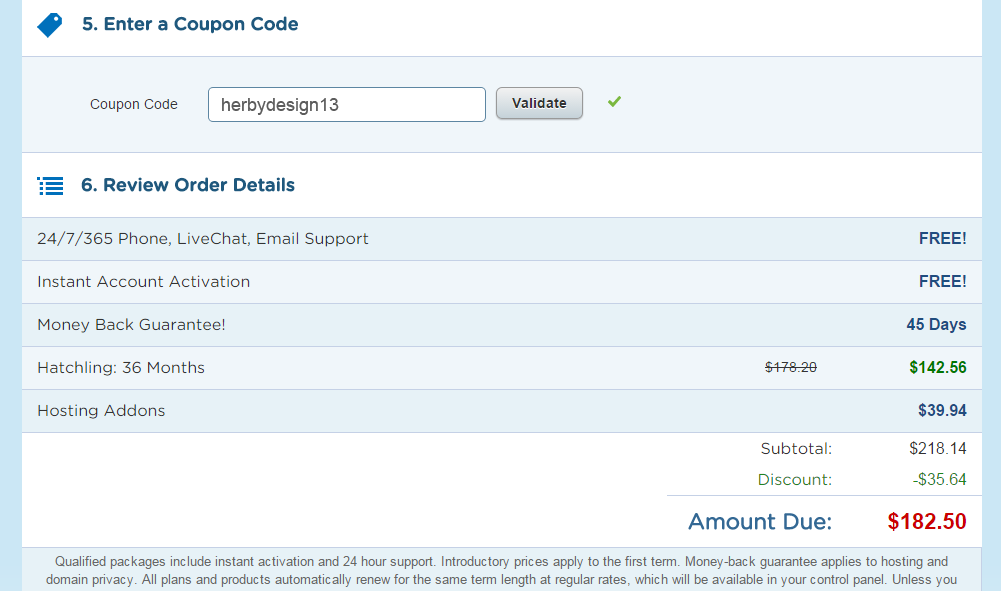
Just don’t mind the total price, because without the additional services “that I forgot to unselect 🙂 ” this will only cost $66.72 with HostGator Hatchling Plan for 12 months.
Now after you agree the Terms and Conditions you will click the Checkout Now button. And you will be redirect to Paypal payment page or Credit Card checkout page.
After you succeed the process from sign up to payment, you will received an email confirming your order on HostGator. They will need some credentials to prove that your real..
Hope this tutorial help you understand on How to Sign Up a Web Hosting and please check my other tutorial.

Need help with your website?
I build fast, SEO-ready websites and web applications.