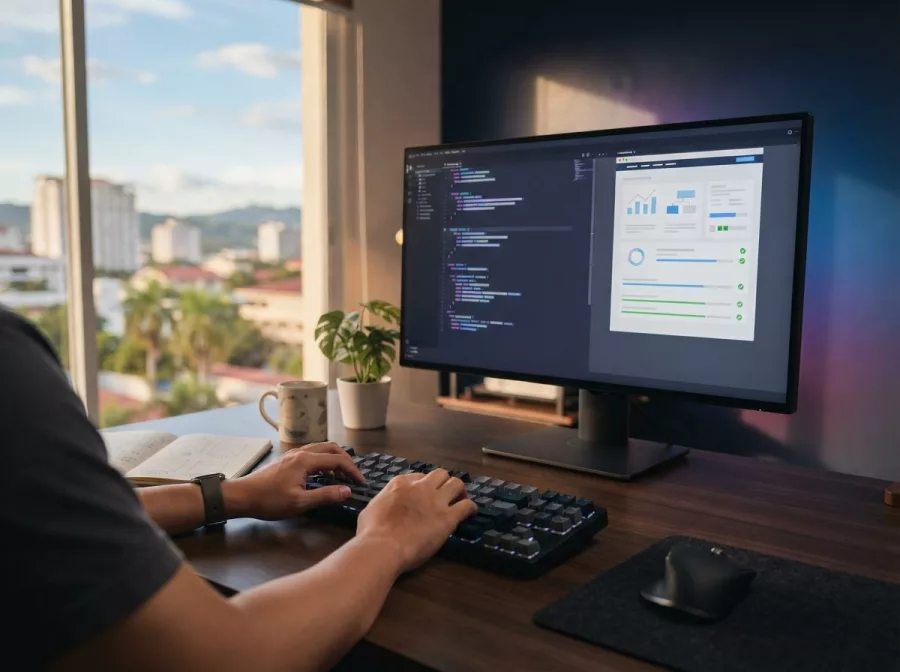
Web Developer: Build Skills, Projects, and a Portfolio
Learn how to become a web developer with a clear skills sequence, practical project ideas, portfolio tips, and a simple plan for your next step.

To become a web developer, learn HTML, CSS, and JavaScript, then use them to build and publish small websites. A strong next step is to practice solving real problems, review your work, and show finished projects in a clear portfolio.
- Learn core web skills before adding frameworks.
- Build projects that solve a specific, understandable problem.
- Use Git to track your work and publish live demos.
- Improve projects through testing, feedback, and clear documentation.
Choose a direction and learn the web basics
Web development covers several kinds of work. Front-end developers build the parts people see and use. Back-end developers work on server logic, data, and application rules. Full-stack developers handle both areas, though the exact role varies between teams.
If you are new, start with front-end basics. HTML gives a page structure, CSS controls its appearance, and JavaScript adds interaction. These skills help you understand what a browser displays before you add more complex tools.
Use a structured resource such as MDN Learn web development to guide your study. It includes beginner material, core topics, and exercises. Treat it as a learning path, not a race to finish every lesson.
Set a small goal for each study session. For example, learn how headings and links work, then make a simple page that uses them. Small, finished exercises build confidence and help you notice what you still need to practice.
Build web developer skills in a useful order
Learning in sequence helps you avoid collecting tools without knowing why they matter. Focus first on the parts of the web that appear in nearly every project.
- HTML: Create meaningful page structure with headings, paragraphs, links, lists, and forms.
- CSS: Learn spacing, colors, typography, flexible layouts, and responsive design. Responsive design means a page adapts to different screen sizes.
- JavaScript: Practice variables, functions, conditions, events, and working with page content.
- Browser tools: Use developer tools to inspect pages, find errors, and test changes.
- Git: Save changes as a history, so you can review work and recover earlier versions.
After the basics, learn accessibility and testing alongside new features. Accessibility makes websites more usable for people with different needs and devices. Testing helps you check that important parts work as expected.
Do not rush into a framework because a job listing mentions one. First, make a small page with plain HTML, CSS, and JavaScript. Once you understand the problem a framework helps solve, learning it will be much easier.
Make projects that show how you think
Projects turn lessons into evidence of your skills. Start with a simple, useful idea that you can finish, explain, and improve. A small project with thoughtful details is often more helpful than a large unfinished one.
Try a three-project progression
- Profile page: Present a short introduction, skills you are learning, and links to your work. Make it readable on a phone.
- Useful information page: Build a service or event page with clear sections, contact details, and a form layout. Focus on structure and accessibility.
- Interactive tool: Create a task list, budget planner, or appointment helper. Use JavaScript to handle a clear user action.
For each project, write down who it is for and what it helps them do. Then make a basic version before adding optional features. This keeps your practice focused on completing work, not endlessly planning it.
Test your pages at different widths and try each control with a keyboard. Check links, form labels, error messages, and empty states. These practical checks show care that a screenshot alone cannot convey.
When useful, connect a project to a real workflow. For example, a small business service page can demonstrate how you organize information for visitors. You can also explore website design and development to understand the kinds of outcomes businesses may need.
Publish your work and explain it clearly
A portfolio should make your work easy to review. For each project, include a live demo when possible, a link to the source code, and a short description of the problem and your approach.
Explain what you built, which tools you used, and what you would improve next. Be honest about your contribution, especially if you worked with a team or followed a tutorial. Clear explanations help readers understand your judgment, not just your final screen.
You can publish a static project with a service such as GitHub Pages. Its documentation explains how to publish a website from a repository. Before sharing the link, check that the page loads, images display, and navigation works.
Keep your repository understandable. Use descriptive file names, remove unfinished experiments from the main branch, and add a brief README with setup or project details. A tidy project is easier for another developer to review.
Practice like a working developer
Professional work involves more than writing code. Developers ask questions, break tasks into steps, test changes, and explain trade-offs. You can practice these habits even when working alone.
Use a repeatable project workflow
- Write a one-sentence goal for the feature.
- List the smallest steps needed to complete it.
- Build one step at a time and save meaningful changes with Git.
- Test the result in a browser and fix obvious issues.
- Ask someone to try it, then note confusing parts.
- Update the project description with what you learned.
When you get stuck, describe the issue precisely. Note what you expected, what happened, and what you already tried. Search documentation and error messages, then test one possible fix at a time.
AI tools can help explain concepts or suggest approaches, but review any code they produce. Make sure you understand it, check it against documentation, and test it yourself. The ability to judge code matters more than simply generating it.
As your interests develop, explore a specialty. You might learn a back-end language, a content management system, or e-commerce development. A focused service such as Laravel development involves different skills from a static front-end site, so choose based on the work you want to do.
Prepare for your first opportunity
Look for opportunities to practice collaboration, not only job titles. You might contribute a small fix to an open-source project, help a community group improve its site, or build a personal project based on a clear need. Ask permission before changing or publishing work for others.
When applying, tailor your portfolio to the role. If the work focuses on websites, show responsive pages and explain your approach to layout and accessibility. If it involves application features, show how users complete a task and how you handle errors.
Keep learning from feedback. If someone finds a confusing section, ask what they expected to see. Then decide whether a change would make the experience clearer. This is a practical way to build communication and problem-solving skills together.
For a broader view of career preparation, read Web Developer Career: Build Skills and a Strong Portfolio. If you want a wider look at the day-to-day habits behind good work, see Good Web Programmer: Build Skills That Matter.
Frequently asked questions
How long does it take to become a web developer?
It depends on your time, prior experience, and goals. Build a steady routine and measure progress by finished projects and skills you can demonstrate, not a fixed deadline.
Do I need a degree to become a web developer?
Requirements differ by employer and role. A degree may help for some positions, but practical skills, clear projects, and communication can also support your application.
Should I learn front end or back end first?
Start with HTML, CSS, and JavaScript to understand web pages in the browser. Then explore back-end work if you enjoy data, application rules, or server-side features.
Can I become a web developer by learning online?
Yes. Online lessons can teach core skills, but pair them with original projects, testing, and feedback. Avoid relying only on watching tutorials.
Start with one useful project
Becoming a web developer is a process of learning, building, and improving. Choose one small project, finish it, and publish what you learned. If you need help planning a website or web application, contact Herby Design to discuss your project.
Found this helpful? Share it
Web Developer: Build Skills, Projects, and a Portfolio — learn how to become a web developer with a clear skills sequence, practical project ideas, portfolio tips, and a simple…#WebDevelopment #BeginnerCoding #HTMLCSSJavaScript #Portfolio #HerbyDesign
Caption and hashtags copied: paste them into your post.
Need help with your website?
I build fast, SEO-ready websites and web applications.