On-Page SEO Checklist: Improve Key Pages Step by Step
Use this practical on-page SEO checklist to improve page titles, content, links, images, and usability—one useful step at a time.

An on-page SEO checklist helps you improve the parts of a web page that visitors and search engines can read. Use this on-page SEO checklist to make each important page clearer, more useful, and easier to navigate—without forcing keywords into every sentence.
- Give each page one clear purpose and intended search.
- Write a distinct, descriptive page title and a useful summary.
- Organize content with clear headings, short URLs, and helpful links.
- Check images, mobile usability, and page speed before publishing.
Start with this on-page SEO checklist
On-page SEO means improving the content and page elements you control. It is not a guarantee of higher rankings. It is a practical way to help visitors understand what a page offers and help search engines interpret its subject.
Before editing, choose a page that matters to your business. It could be a service page, product category, or useful article. Identify the likely visitor and the task they want to complete. A page trying to serve several unrelated purposes often needs a clearer focus.
- Write down the page’s main purpose and audience.
- Choose one main search topic that matches that purpose.
- Check whether another page already serves the same topic.
- Review the page on a phone and a computer.
- Make changes, then check the page again after publishing.
For instance, a Cebu web design service page should explain the service and who it helps. It should not try to rank for every web-related phrase at once. If the page needs a broader redesign, consider website design and development support.
Match the page to a real search need
Start with the problem a customer wants solved, not a list of popular-sounding keywords. Search suggestions, customer questions, and your own sales enquiries can reveal the words people use. Compare those phrases with the pages you already have.
Give each page a distinct job. If two pages answer the same question in nearly the same way, decide whether to improve one strong page or make their purposes more specific. This avoids confusing visitors and helps you plan your site structure.
Make a simple page brief
Before writing or editing, note the target reader, their question, the answer your page will provide, and the next step you want them to take. Add two or three related questions the page should answer. This small brief keeps the content focused.
Use the main phrase where it fits naturally, such as in the title, opening, and a relevant heading. Include related wording when it helps explain the subject. Do not repeat a phrase just to reach a target count. Google recommends useful, people-first content rather than writing designed only to manipulate search results. See its helpful content guidance.
Improve your title, description, and URL
Write a unique title for every important page. It should describe what the page contains in plain language. Keep it concise and avoid repeating the same keyword or adding claims the page cannot support. Search engines may use several page elements when creating a result title, so make the visible page heading agree with the page’s purpose.
Write a meta description as a short, accurate invitation to visit. Explain what the reader can learn or do. A search engine may choose different text for a result snippet, so treat the description as guidance rather than a promise that it will always appear exactly as written.
Keep the URL short, readable, and relevant. Use words separated by hyphens, and avoid needless dates or strings of numbers. If you change an existing URL, set up a proper redirect and update internal links so visitors do not land on an error page.
Make the content easy to scan and trust
Answer the main question near the start. Then explain the steps, choices, or details readers need. Use short paragraphs and headings that describe what follows. A heading should help a reader scan the page, not simply hold another keyword.
Include practical details that help someone make a decision. A service page might explain what is included, how to begin, and what information a customer should prepare. An article can show a brief example or checklist. Avoid unsupported promises and generic filler.
Show who is responsible for the content and how readers can contact the business. Where relevant, include accurate business details, examples of work, and clear policies. These details support trust with people; they are not a shortcut to rankings.
Use a clear heading structure
Use one main page heading, then organize major topics under descriptive subheadings. Keep sections in a logical order. Do not choose heading levels only for their visual size; styling can change appearance without changing the document outline.
For example, a page about website maintenance could have sections for what maintenance includes, how often to review a site, and how to request help. Each heading should set an accurate expectation for its section.
Check images, links, and page usability
Use images that help explain the page. Give each meaningful image concise alternative text describing its purpose. Alt text is read by assistive technology and can help explain an image when it cannot be seen. Decorative images should not have descriptive text that adds no value.
Choose descriptive file names before uploading, and resize or compress large images to help avoid unnecessary loading delays. Do not put essential instructions only inside an image. Check that images display well on small screens.
Add internal links where they help people take the next useful step. A service article might link to a related service, while a guide may point to a relevant contact page. Use link text that explains what the destination offers. For example, readers comparing online shop options can learn about e-commerce development.
External links can support claims or help readers find authoritative information. Link to sources that are relevant and reliable, and make sure each link works. Avoid adding links merely to make a page appear more authoritative.
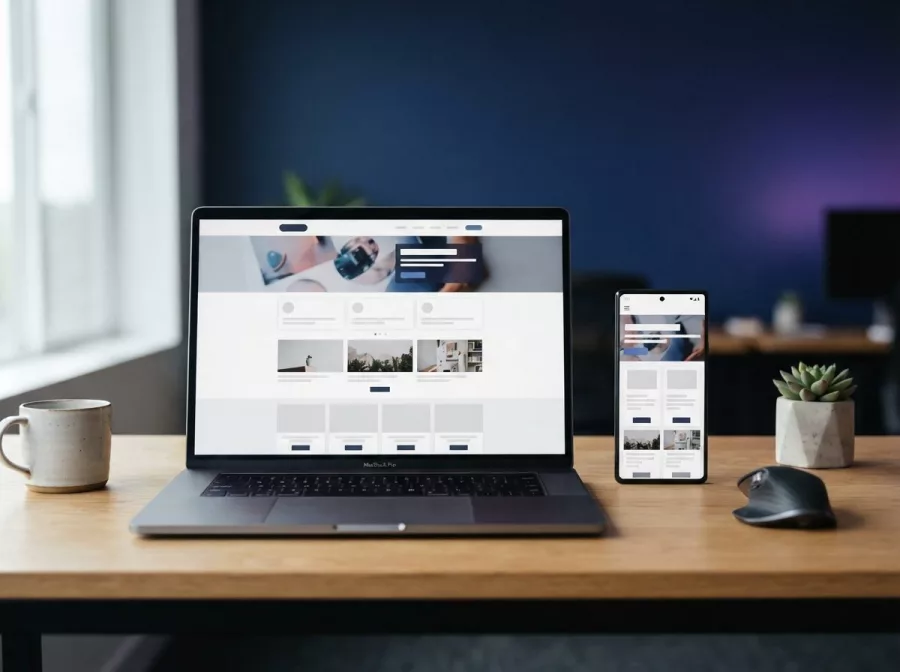
Finally, test the page on a phone. Check that text is readable, buttons are easy to tap, and the main content is not blocked by pop-ups. Google’s page experience guidance encourages site owners to consider the overall experience, including mobile use, security, and page performance.
Measure results and keep the page current
Record the page’s starting point before making major edits. After publishing, watch relevant search impressions, clicks, and visitor actions in your analytics and search tools. Look for patterns over time rather than reacting to a single day. Search performance can change for many reasons, and no checklist can guarantee a particular result.
If people find the page but do not take the intended next step, review whether the content answers their concern and whether the next action is clear. If the page gets little visibility, check its topic, usefulness, indexability, and links from other relevant pages. A structured search engine optimization review can help identify broader issues.
Update content when services, business details, or guidance change. Confirm that contact information is correct and that old links still work. For WordPress sites, a regular maintenance and technical support process can help keep pages and software in good order.
Frequently asked questions
What is an on-page SEO checklist?
It is a repeatable review of page elements such as topic focus, title, headings, content, images, links, and usability. It helps you find practical improvements but cannot guarantee rankings.
How many times should I use my target keyword?
There is no required count. Use the phrase when it naturally describes the page, and prioritize clear, complete answers over repetition.
Does a meta description improve rankings?
A meta description can help summarize a page for searchers, but search engines may show different snippet text. Write it for accuracy and usefulness, not as a ranking guarantee.
Should every image have alt text?
Meaningful images should have concise alt text that explains their purpose. Decorative images can use empty alt text so assistive technology can skip them.
Use this on-page SEO checklist whenever you publish or refresh an important page. If you want help improving your website’s content and structure, contact Herby Design to discuss your next steps.
Found this helpful? Share it
Want to improve key pages step by step? This on-page SEO checklist covers titles, content, links, images, and usability.#OnPageSEO #SEOChecklist #DigitalMarketing #SmallBusiness #WebDesign
Caption and hashtags copied: paste them into your post.
Need help with your website?
I build fast, SEO-ready websites and web applications.