Online Store Analytics: Track Sales and Improve Your Shop
Learn how to set up online store analytics, verify purchase tracking, and use shopper behavior to improve product pages and checkout.

Online store analytics helps you see what shoppers view, add to their carts, and buy. Set up a few key tracking events, check that they work, and use the results to improve product pages and checkout. You do not need a complicated dashboard to start making better decisions.
- Track meaningful shopping actions, not every click.
- Check that purchase data includes the correct product, quantity, and revenue.
- Use customer behavior to choose one practical improvement at a time.
- Review privacy, consent, and data quality as part of your setup.
What online store analytics can tell you
Online store analytics connects customer actions with business outcomes. It can show which products attract attention, where shoppers leave, and whether a promotion leads to purchases. These clues help you decide what to improve instead of relying only on guesswork.
For example, many product views but few cart additions may point to unclear product details, weak photos, or confusing prices. If shoppers add items but do not complete checkout, review shipping information, payment options, and form usability.
Analytics does not explain every reason behind a customer’s choice. Treat reports as useful signals, then check the page or ask customers before making a major change. Keep your first questions specific, such as “Which products get added to carts?”
Choose a small set of store metrics
Start with measures that connect directly to your goals. A new shop might focus on product views, cart additions, completed purchases, and revenue. A service business selling through a website may instead track enquiry submissions and qualified leads.
- Product views: Which products or categories attract attention?
- Add-to-cart actions: Which viewed products make shoppers consider buying?
- Checkout starts: Do people begin checkout after adding products?
- Purchases: Which items and channels lead to completed orders?
- Revenue: Are purchase values recorded correctly, including currency?
A metric is only useful when you know what decision it can inform. Avoid adding a long list of numbers before you have a clear question. For a wider overview of improving the buying process, see this online business checkout guide.
Set up online store analytics events
Analytics platforms record actions as events. For an online store, common events include viewing an item, adding it to a cart, beginning checkout, and completing a purchase. Google’s documentation explains that ecommerce events need to be implemented; they are not automatically collected for every store setup.
Begin by checking whether your ecommerce platform or existing integration already sends these events. If you have a custom website, work with your developer to add the events at the point each action occurs. Avoid sending a purchase event just because a confirmation page loads again; repeat visits could distort totals.
Make purchase data useful
For a purchase event, include reliable details such as transaction ID, currency, item names or IDs, quantities, and prices where your platform supports them. Use a unique transaction ID to help identify duplicate purchase records. Test the event with a real, controlled test order before relying on its reports.
Google’s ecommerce measurement documentation describes recommended events and item information for GA4. The exact steps depend on your platform, tagging setup, and checkout flow. Do not copy code blindly into a live store.
Check tracking before trusting reports
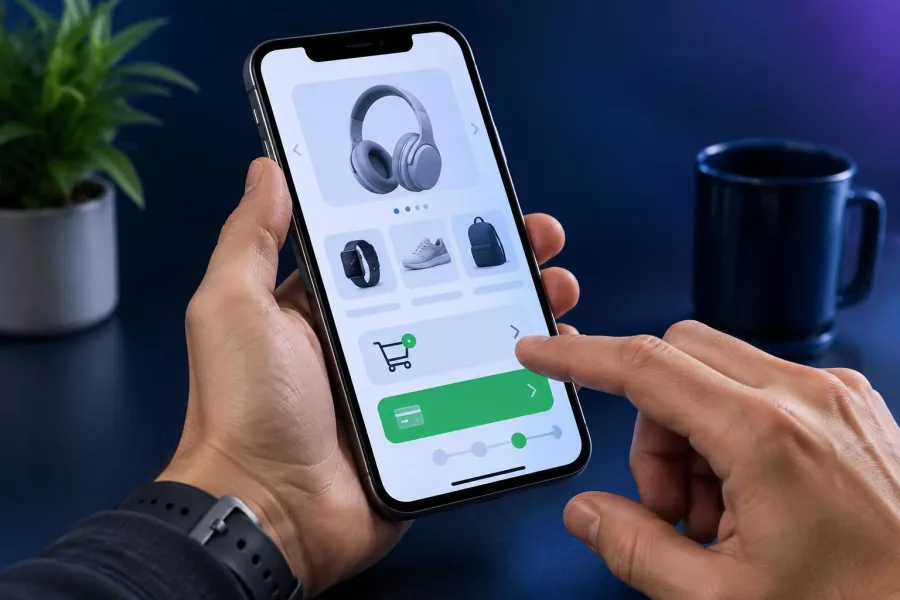
Bad tracking can make a neat report misleading. Check events in a test session and compare them with the actions you actually took. Confirm that a product view records the correct item, a cart action fires once, and a test purchase has the right transaction details.
Then compare analytics purchases with your store’s order records over a suitable period. Some differences can occur because of consent choices, blocked scripts, payment redirects, or timing. Investigate large or repeated gaps before using the numbers to judge a campaign.
Use a simple test checklist
- Open a product page and confirm the correct item appears in the event data.
- Add an item to the cart and make sure the action is recorded once.
- Start checkout and verify that the event does not contain incorrect product details.
- Complete a test order using your safe test process, if available.
- Check the order ID, currency, item, quantity, and purchase value.
- Repeat the test on a phone, since many customers shop on mobile devices.
Keep a short record of what you tested, when, and what you changed. If you update a theme, payment provider, or analytics integration, test the key actions again. Technical help may be useful if you need custom event setup or troubleshooting through e-commerce development.
Turn online store analytics into improvements
Look for patterns that suggest a clear next step. If shoppers view a product but rarely add it to their cart, check its images, sizing, description, availability, and delivery details. If carts are common but purchases are not, walk through checkout on mobile and look for surprises or unnecessary steps.
Change one meaningful thing at a time when possible. For example, make delivery costs easier to find, then observe whether checkout completion changes. Avoid declaring a result from a handful of visits; allow enough activity to make a fair comparison, and consider other changes that happened at the same time.
Break down results by useful dimensions, such as product or traffic source, only when the data is reliable and the comparison helps answer a question. A campaign may bring visits without purchases, while another sends fewer visitors who are more ready to buy. Do not assume that more traffic always means better business results.
For broader customer trust measures, review this online store checklist for Philippine buyers. If your store runs on WordPress, explore WordPress development for platform-specific improvements and support.
Protect customer data and keep reports focused
Collect only the information your business needs. Do not send sensitive personal details, such as names, email addresses, or payment information, into analytics event fields. Review your platform settings, cookie and consent practices, and applicable privacy obligations before tracking visitors.
Keep access limited to people who need it, and document what tracking is active. When you share reports, use aggregated results rather than exposing individual customer activity. If you are unsure whether a data field is appropriate, leave it out until you have verified the rules and technical requirements.
Use a simple weekly or monthly review, depending on your order volume. Record the question, the finding, and the next action. This turns analytics into a practical routine rather than another dashboard that nobody checks.
Frequently asked questions
What should a small online store track first?
Start with product views, cart additions, checkout starts, purchases, and revenue. Choose only the measures that support a clear business question.
Does Google Analytics track online purchases automatically?
Not in every setup. Google says ecommerce events need to be implemented, though some platforms or integrations may provide them.
Why do store orders and analytics purchases differ?
Consent settings, blocked scripts, payment redirects, duplicate events, and timing can affect reports. Check event setup and compare totals over the same period.
How often should I review online store analytics?
Review it regularly, such as weekly or monthly, based on how many orders you receive. Look for patterns and make one practical improvement at a time.
Can analytics show why a customer did not buy?
Analytics can highlight where shoppers leave, but it cannot always explain why. Review the shopping experience and ask customers for feedback when appropriate.
Good online store analytics starts with accurate, limited tracking and a clear question. Check the setup, learn where shoppers encounter friction, and make thoughtful improvements. Need help planning a store or improving its tracking? Contact Herby Design to discuss your project.
Found this helpful? Share it
Online Store Analytics: Track Sales and Improve Your Shop — learn how to set up online store analytics, verify purchase tracking, and use shopper behavior to improve product pages…#SmallBusiness #GA4 #OnlineStore #EcommerceAnalytics #HerbyDesign
Caption and hashtags copied: paste them into your post.
Need help with your website?
I build fast, SEO-ready websites and web applications.