Website Marketing Philippines: A Practical Small-Business Plan
A practical website marketing plan for Philippine small businesses: clarify your offer, choose suitable channels, and measure inquiries that matter.

Website marketing in the Philippines works best when it connects a clear offer to a simple path for customers to take action. Start by deciding what you want visitors to do, then choose a few channels, track meaningful inquiries, and improve the pages that support those actions.
For a small business, you do not need to market everywhere at once. A focused plan can help you spend time and budget on activities that bring relevant visitors and real inquiries.
Key takeaways
- Set one primary website goal, such as qualified inquiries or online orders.
- Make your offer, service area, and next step clear on mobile.
- Choose channels based on how customers find and evaluate your business.
- Track completed actions, not just visits and likes.
- Review results monthly and improve one part of the customer journey at a time.
Set a goal before choosing marketing channels
Website marketing begins with a business outcome. More traffic is not automatically better if visitors do not need your service or cannot work out what to do next.
Choose one main action for your website. A service business may want visitors to send an inquiry. An online shop may want them to complete a purchase. A clinic might prioritize appointment requests, while a B2B company may want visitors to book a consultation.
Write down what counts as a useful result. For example, a submitted form with a valid email and a relevant project request is more valuable than a page view. This definition helps you judge channels by the quality of leads they bring.
Make the next step easy to spot
Use a clear call to action near the top of important pages. Try specific wording such as “Request a quote” or “Book an appointment” instead of a vague button like “Learn more.” Repeat the action near relevant service details, but avoid making every section compete for attention.
Explain what happens after someone acts. If you invite visitors to request a quote, say what details to include and how your team will respond. Clear expectations can make contacting you feel easier.
Build a website that answers customer questions
Your website should help a visitor decide whether your business fits their needs. Explain what you offer, who it is for, where you serve customers, and how to get started. Put essential details on the pages people are likely to visit, not only on your homepage.
For Philippine businesses, consider how customers actually contact you and receive your service. Show the relevant service area, business hours, delivery details, payment options, or appointment process. Include only details that apply to your business, and keep them up to date.
Use plain language and specific examples. A page that says “We build websites” tells a visitor little about the work. A stronger page describes the types of sites you build, the problems they solve, and the next step to discuss a project.
Check the mobile experience
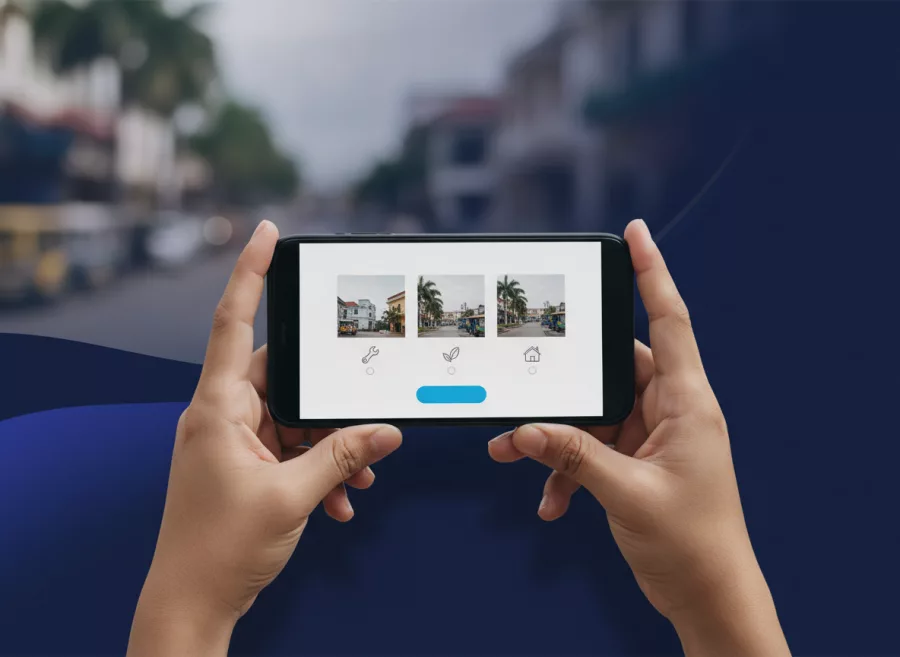
Review your site on a phone, not only on a desktop. Check that text is readable, buttons are easy to tap, and key details appear without excessive scrolling. Test forms from start to finish, including the confirmation message.
If your website needs a redesign or new features, explore website design and development. For an online store, consider whether your product pages, checkout, and delivery information answer common buyer questions.
Choose channels that fit your audience
You do not need to use every marketing channel. Choose a small set that matches how your customers discover and compare businesses. Then make sure each channel points to a useful page on your website.
Search for customers with active needs
Search can help people find a business while looking for a service or product. Create useful pages for your core offerings and explain the places you serve when location matters. For broader guidance, see our search engine optimization services and local SEO guide.
Search Console can show which queries and pages receive impressions and clicks. Its reports also let you review performance by country and device. Use this information to spot relevant searches, then improve pages that are not clearly answering those needs. See Google’s Search performance report documentation.
Use social media to support the website
Social media can introduce your business, share helpful updates, and direct interested people to relevant pages. Link to a service page, product, booking page, or useful article instead of sending every visitor to the homepage.
Keep your business details consistent across your website and social profiles. If you promote an offer, make sure the destination page explains its terms and still works on mobile.
Consider paid ads only when the destination is ready
Paid search or social ads may bring visitors quickly, but they cannot fix a confusing offer or a broken form. Before spending, check that the landing page matches the ad, loads properly, and makes the next step clear.
Set a modest test budget you can afford to learn from. Give each campaign a specific audience, offer, and destination page. Avoid judging success from clicks alone; review whether the campaign produced relevant inquiries or sales.

Measure inquiries and sales, not vanity metrics
Visits, impressions, and social reactions can help explain what is happening, but they are not the final goal. Track actions that matter to your business, such as completed inquiry forms, calls from the website, bookings, or purchases.
Start with a short measurement plan. Write down the action, where it happens, how it will be recorded, and who will review the data. Test the setup yourself so you know that a genuine action appears in the reporting tool.
Google Analytics lets you mark important interactions as key events. For example, you might treat a successful form submission as a key event, rather than counting every visit to the form page. Review Google’s current instructions for creating conversions from Analytics key events.
Keep data collection appropriate to your business and explain it in your privacy information. Do not collect personal details you do not need. A measurement setup should support better decisions without creating unnecessary risk for customers.
Create a practical 30-day marketing plan
A short plan is easier to maintain than a long wish list. Use the first month to fix the basics, publish or improve useful content, and review early signals. Results vary by market and channel, so treat the first month as a learning period rather than a promise of sales.
- Week one: Choose your main website goal. Review your homepage and the page most closely tied to that goal. Make the offer, service area, and next step clear.
- Week two: Test your website on a phone. Submit your forms, check contact details, and fix any broken links or unclear instructions.
- Week three: Select one or two channels to focus on. Update the relevant profiles or campaigns and link them to matching website pages.
- Week four: Review visits, inquiries, and sales. Note which pages and channels appear to support useful actions, then choose one improvement for the next month.
Keep a simple record of changes. If you update a page title, offer, or campaign, note the date and what you changed. That makes it easier to interpret later results without assuming that every change caused a particular outcome.
Improve the pages that support your best leads
Use customer questions and inquiry patterns to guide improvements. If prospects repeatedly ask about price, process, delivery, or service coverage, answer those questions on the relevant page. Helpful detail can save time for both your team and potential customers.
Look for friction in the path to action. A form with too many required fields may discourage visitors. A service page may lack proof of what the service includes. A product page may omit delivery or return details. Fix the clearest obstacle first, then check whether the change improves useful actions.
Review performance regularly, but do not make major decisions from a tiny amount of data. Search Console can help you inspect queries, pages, countries, and devices; Analytics can help you understand interactions. Use both as clues, alongside direct feedback from customers.
If your site is slow or unreliable, marketing can send visitors to a poor experience. Review our website performance optimization service, and make sure updates and forms remain dependable.
Frequently asked questions
What is website marketing?
Website marketing is the work of attracting relevant visitors to a website and helping them take a useful action, such as making an inquiry, booking, or buying.
Which marketing channel should a small business in the Philippines use first?
Start with the channel your likely customers already use to find or evaluate businesses. Make sure your website page is ready before investing heavily in promotion.
How can I tell if my website marketing is working?
Track completed inquiries, bookings, or purchases, then review which pages and channels support those actions. Visits alone do not show whether the marketing is bringing suitable customers.
How often should I review my website marketing?
Check basic results monthly and review major campaigns when they end. Use the findings to make one clear improvement rather than changing everything at once.
Conclusion
Effective website marketing in the Philippines starts with a clear goal, useful pages, suitable channels, and measurement of real customer actions. Build a focused plan, learn from the results, and improve steadily. If you need help planning or improving your business website, contact Herby Design.
Found this helpful? Share it
Need help with your website?
I build fast, SEO-ready websites and web applications.